

Importez, corrigez, approuvez et validez vos données Maximo en quelques minutes.
Naviam DataStudio est un outil de chargement de données Maximo basé sur le web. Il permet aux équipes autorisées d'interroger, de modifier, de valider et de télécharger des jeux de données dans IBM Maximo, avec une vérification en temps réel et des approbations de flux de travail.
MapEngine

Installé au sein d'IBM Maximo Application Suite


Maximo security groups and workflow
The person who knows the data isn't the person who loads it.
Field and business teams understand the assets but not Maximo's field rules and lookups. Technical teams can load data into Maximo but can't judge whether it's right.
- Manual data processes that are slow and error-prone
- Disconnected tools, ad-hoc scripts, or external storage
- Difficult data governance, audit trails, and validation
DataStudio moves each file between the people who know the data and the people who load it.
1
Enter
Business users create or import data. Errors appear as they work.
2
Approve
The file routes through Maximo workflow. Approvers are notified, review, and approve.
3
Commit
An authorized user commits the approved file. Records are created or updated in Maximo.
4
Audit
The committed file is kept as read-only history, with an audit trail of file access and data changes.
One person can hold every role, or each step can sit with a different team.
Catch errors before Maximo does.
DataStudio simulates the load in a temporary file, so you know which rows will go in before anything touches real Maximo tables. Fix a value, tab out, and the row revalidates.
Maximo business rules
Format, values, and business rules, as Maximo enforces them.
Your custom Maximo rules
Custom rules you have implemented in Maximo are applied too.
Template rules
Add requirements Maximo doesn't have, such as making asset type mandatory.
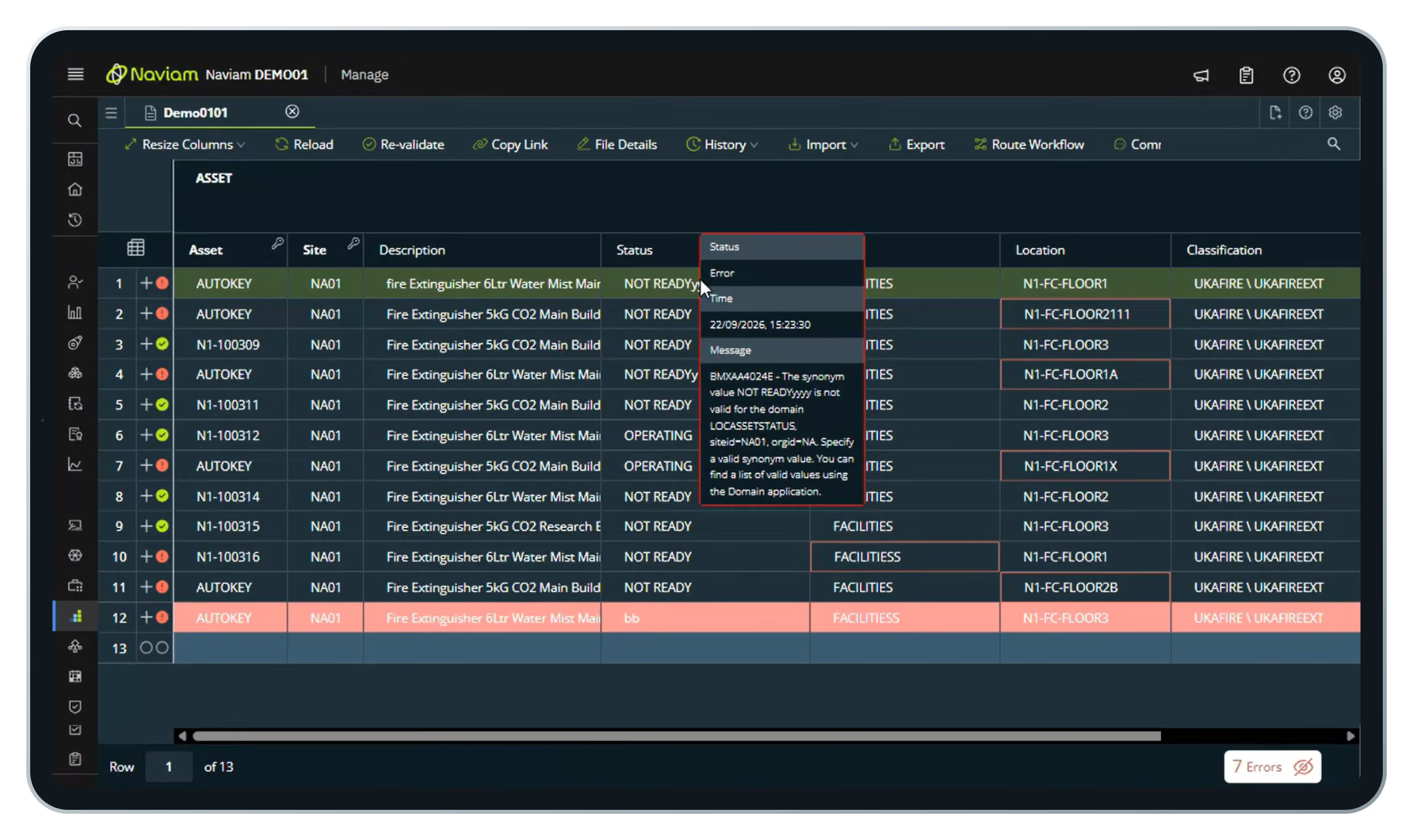
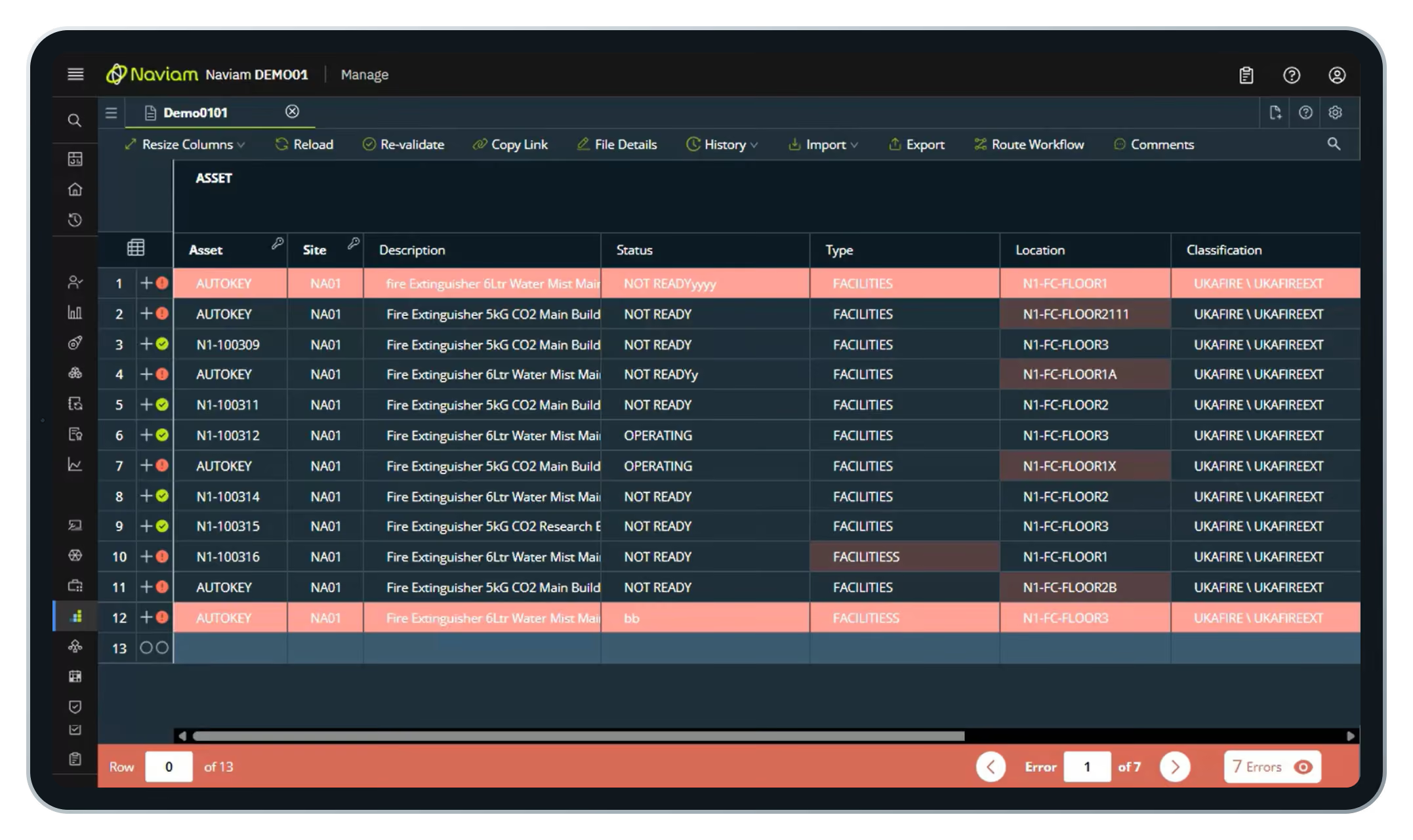
Turn a messy spreadsheet into Maximo records.
A supplier or survey team sends a list of new assets. It has typos and missing values. DataStudio shows you every one.
- Create a file from a template
- Drag in the Excel workbook and pick the sheet
- Every row validates on import
- Step through error and fix them in place
- Send for approval, then commit
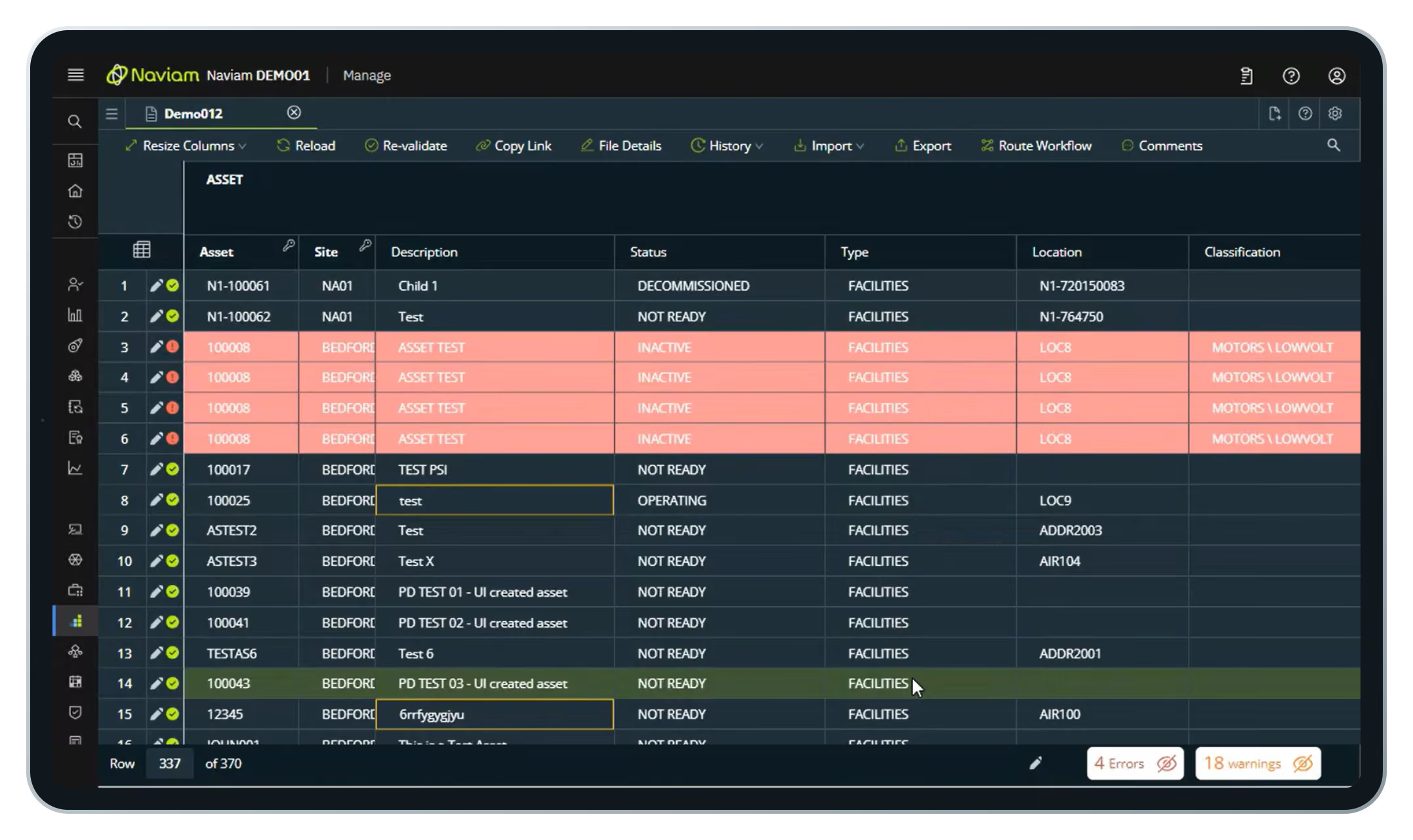
Fill the gaps already in Maximo.
Assets with no type or tag hold back initiatives like asset health. Pull them out, enrich them, and push them back.
- Import from a query with a WHERE clause
- Pull only the records that need attention
- Fill down values across many rows at once
- Approve and commit back to Maximo
Key features
Beyond import and validation, DataStudio is built for governed, ongoing data work.

Approvals and access
Configurable Maximo workflows route each update for review. Maximo security groups control who views, edits, approves, and loads.

Reusable templates
Assets, job plans, locations, PMs, and more, with version control.

Folder manager
Teams work independently in their own secured areas within Maximo.

Audit trail
File access and data changes recorded for compliance and QA.

Part of Maximo, not another system to manage.
Looks like Maximo. Embedded in the Maximo shell, so users already know their way around.
Standard integration. Connects through the Maximo OSLC REST API and does not extend out-of-the-box Maximo features.
Ready to use. Ships with preconfigured templates, object structures, and automation scripts.
Settings preserved. Templates and security groups carry through upgrades.
Questions fréquemment posées
Qu'est-ce que Naviam DataStudio ?
Naviam DataStudio est un outil de gestion de données basé sur le Web pour IBM Maximo qui aide les équipes à interroger, modifier, valider, approuver et télécharger de grands ensembles de données avec plus de rapidité, de contrôle et de précision.
Comment Naviam DataStudio valide-t-il les données avant qu'elles n'entrent dans Maximo ?
DataStudio utilise un moteur de validation en temps réel qui vérifie les règles métier de Maximo, les valeurs requises, les domaines, les modèles de mise en forme et la validation au niveau des modèles avant que les données ne soient validées, afin que les équipes puissent détecter les problèmes rapidement.
Est-ce que Naviam DataStudio stocke des données en dehors de Maximo ?
Naviam DataStudio peut-il prendre en charge les téléchargements en masse et fonctionner avec les données basées sur Excel ?
Oui DataStudio prend en charge les téléchargements en masse, les exportations, les importations basées sur des requêtes et l'interopérabilité avec Excel, ce qui facilite le chargement, le nettoyage, la mise à jour et la validation de grands ensembles de données sur les actifs, les emplacements, les PM et les plans de travail.
Comment fonctionnent les approbations et les rôles dans Naviam DataStudio ?
DataStudio prend en charge l'accès basé sur les rôles avec des rôles de lecture seule, d'éditeur et d'approbateur distincts, ainsi que des approbations pilotées par le flux de travail afin que les données puissent être examinées avant d'être confiées à Maximo.
Quels types de structures de données peuvent être gérés par Naviam DataStudio ?
What kinds of data structures can Naviam DataStudio handle?
Assets, asset specifications, meters, hierarchies, locations, and related records, including parent-child relationships and controlled commit order.
Comment Naviam DataStudio contribue-t-il à l'auditabilité et au contrôle ?
DataStudio conserve l'historique des flux de travail, les enregistrements d'approbation, l'historique des fichiers et le suivi des modifications afin que les équipes puissent voir ce qui a été modifié, quand il a été modifié et qui l'a approuvé ou validé.
How does Naviam DataStudio help with auditability and control?
It keeps workflow history, approval records, file history, and change tracking, so teams can see what changed, when, and who approved or committed it.
Exploitez toute la puissance de vos données Maximo
Exploitez toute la puissance de vos données Maximo
Prenez le contrôle des données de vos actifs grâce à des informations en temps réel, à l'automatisation et à des outils intuitifs. Naviam DataStudio facilite la création de rapports et l'intégration avec Maximo.

