

只需幾分鐘,即可完成 Maximo 數據的匯入、修正、審批及提交。
Naviam DataStudio 是一款網頁版 Maximo 數據加載工具。它讓授權團隊能夠在 IBM Maximo 中查詢、編輯、驗證及上傳數據集,並提供實時核對與工作流程審批功能。
MapEngine

Installed inside IBM Maximo Application Suite


Maximo security groups and workflow
The person who knows the data isn't the person who loads it.
Field and business teams understand the assets but not Maximo's field rules and lookups. Technical teams can load data into Maximo but can't judge whether it's right.
- Manual data processes that are slow and error-prone
- Disconnected tools, ad-hoc scripts, or external storage
- Difficult data governance, audit trails, and validation
DataStudio moves each file between the people who know the data and the people who load it.
1
Enter
Business users create or import data. Errors appear as they work.
2
Approve
The file routes through Maximo workflow. Approvers are notified, review, and approve.
3
Commit
An authorized user commits the approved file. Records are created or updated in Maximo.
4
Audit
The committed file is kept as read-only history, with an audit trail of file access and data changes.
One person can hold every role, or each step can sit with a different team.
Catch errors before Maximo does.
DataStudio simulates the load in a temporary file, so you know which rows will go in before anything touches real Maximo tables. Fix a value, tab out, and the row revalidates.
Maximo business rules
Format, values, and business rules, as Maximo enforces them.
Your custom Maximo rules
Custom rules you have implemented in Maximo are applied too.
Template rules
Add requirements Maximo doesn't have, such as making asset type mandatory.
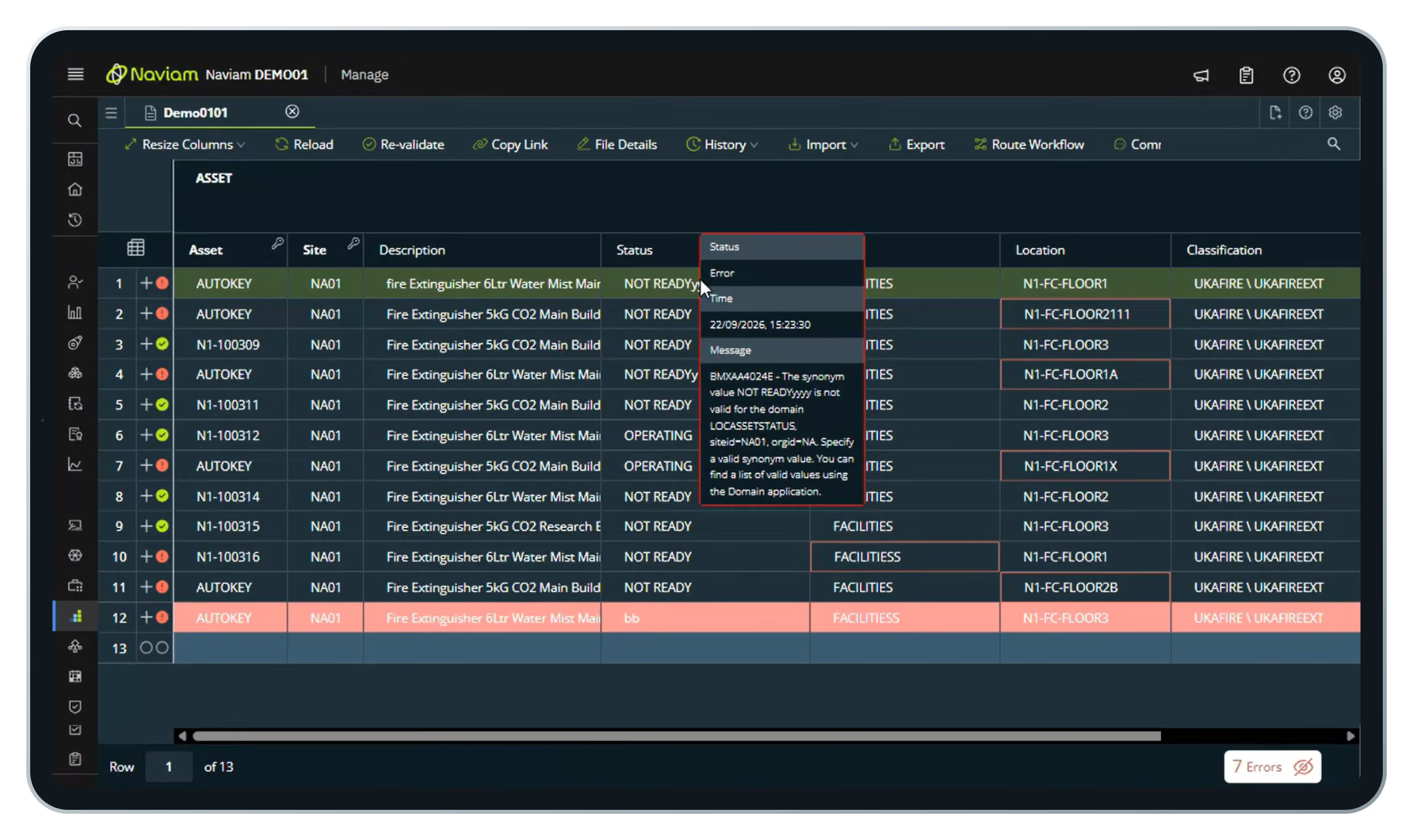
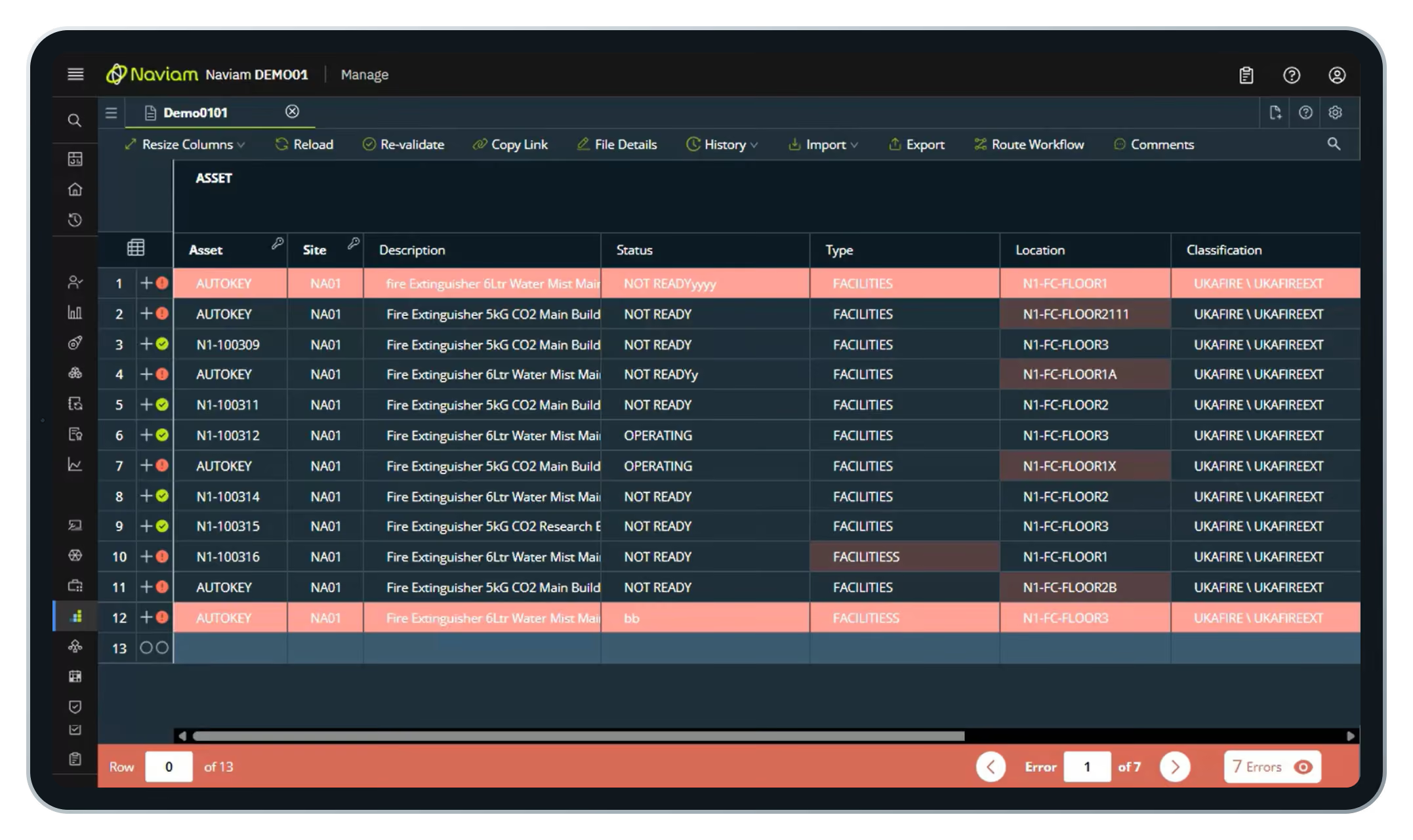
Turn a messy spreadsheet into Maximo records.
A supplier or survey team sends a list of new assets. It has typos and missing values. DataStudio shows you every one.
- Create a file from a template
- Drag in the Excel workbook and pick the sheet
- Every row validates on import
- Step through error and fix them in place
- Send for approval, then commit
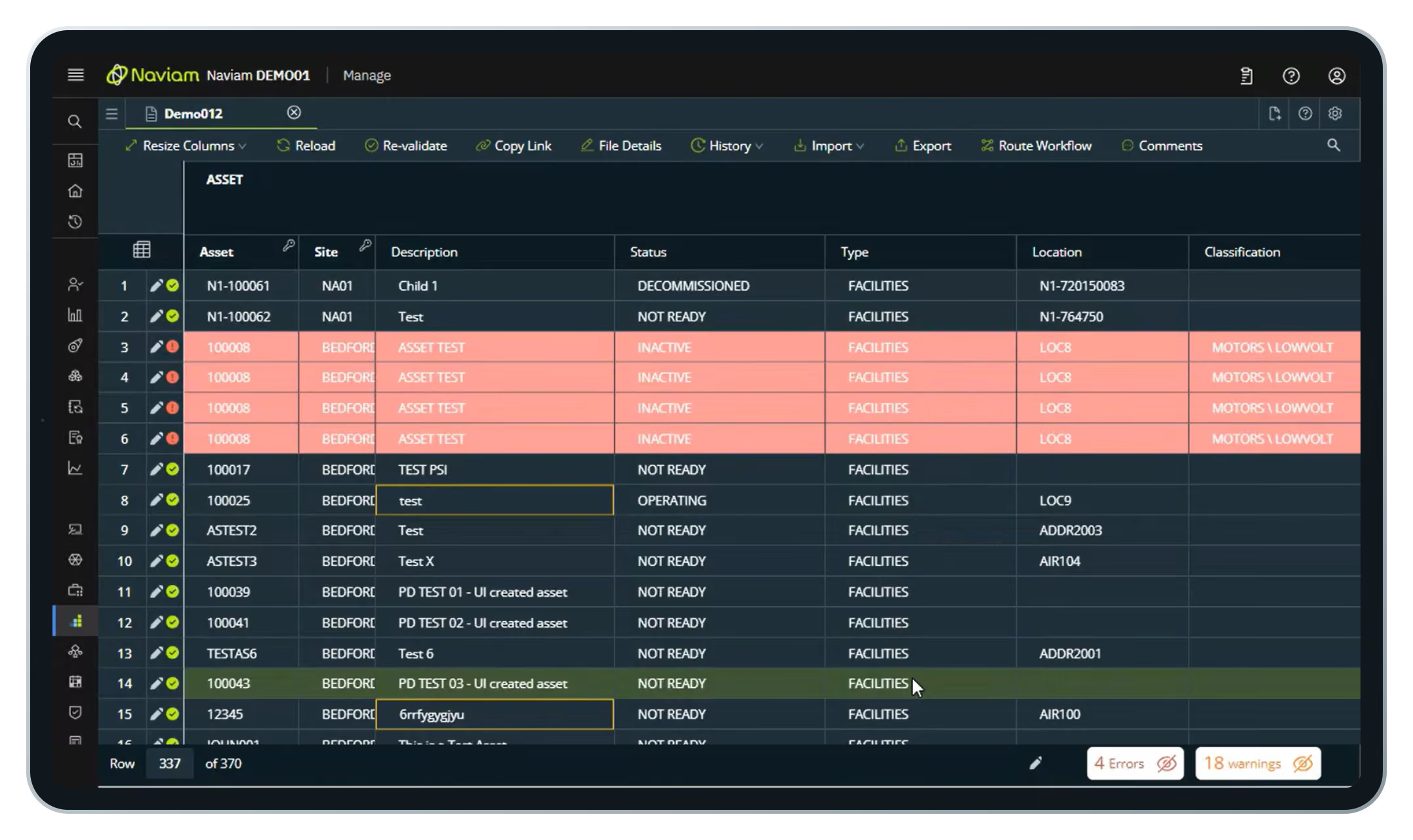
Fill the gaps already in Maximo.
Assets with no type or tag hold back initiatives like asset health. Pull them out, enrich them, and push them back.
- Import from a query with a WHERE clause
- Pull only the records that need attention
- Fill down values across many rows at once
- Approve and commit back to Maximo
Key features
Beyond import and validation, DataStudio is built for governed, ongoing data work.

Approvals and access
Configurable Maximo workflows route each update for review. Maximo security groups control who views, edits, approves, and loads.

Reusable templates
Assets, job plans, locations, PMs, and more, with version control.

Folder manager
Teams work independently in their own secured areas within Maximo.

Audit trail
File access and data changes recorded for compliance and QA.

Part of Maximo, not another system to manage.
Looks like Maximo. Embedded in the Maximo shell, so users already know their way around.
Standard integration. Connects through the Maximo OSLC REST API and does not extend out-of-the-box Maximo features.
Ready to use. Ships with preconfigured templates, object structures, and automation scripts.
Settings preserved. Templates and security groups carry through upgrades.
经常问的问题
什么是 Naviam DataStudio?
Naviam DataStudio 是一款适用于 IBM Maximo 的基于 Web 的数据管理工具,可帮助团队以更快的速度、更高的控制力和准确性查询、编辑、验证、批准和上传大型数据集。
Naviam DataStudio 如何在数据进入 Maximo 之前对其进行验证?
DataStudio 使用实时验证引擎,在提交数据之前检查 Maximo 业务规则、必填值、域、格式模式和模板级验证,因此团队可以及早发现问题。
Naviam DataStudio 是否在 Maximo 之外存储数据?
Naviam DataStudio 能否支持批量上传和基于 Excel 的数据工作?
是的。DataStudio 支持批量上传、导出、基于查询的导入和 Excel 互操作性,从而可以更轻松地加载、清理、更新和验证大量资产、位置、项目经理和工作计划数据。
批准和角色在 Naviam DataStudio 中如何运作?
DataStudio 支持基于角色的访问权限,包括单独的只读、编辑和批准者角色,以及工作流程驱动的批准,因此可以在将数据提交给 Maximo 之前对其进行审查。
Naviam DataStudio 可以处理哪些类型的数据结构?
What kinds of data structures can Naviam DataStudio handle?
Assets, asset specifications, meters, hierarchies, locations, and related records, including parent-child relationships and controlled commit order.
Naviam DataStudio 如何帮助提高可审计性和控制力?
DataStudio 保留工作流程历史记录、批准记录、文件历史记录和变更跟踪,以便团队可以查看更改的内容、更改时间以及谁批准或提交了更改。
How does Naviam DataStudio help with auditability and control?
It keeps workflow history, approval records, file history, and change tracking, so teams can see what changed, when, and who approved or committed it.
释放您的 Maximo 数据的力量
释放您的 Maximo 数据的力量
通过实时洞察、自动化和直观的工具控制资产数据,Naviam DataStudio 让 Maximo 的报告和集成变得毫不费力。

