

Your GIS and your Maximo. Always in agreement.
PowerSync creates and updates assets and locations in IBM Maximo from your Esri ArcGIS data and places them in the correct hierarchy. It runs on a schedule, so every GIS edit reaches Maximo automatically.
Installs itself in about thirty minutes. No Maximo downtime, ever.
Why choose Naviam GIS PowerSync?
Data synchronization the data owner can run alone.

Guided profile setup
A step-by-step wizard takes you from GIS layer to live sync. No custom scripts.

Test before you sync
Run four records, inspect exactly what Maximo created, then activate the full profile.

Field-level control
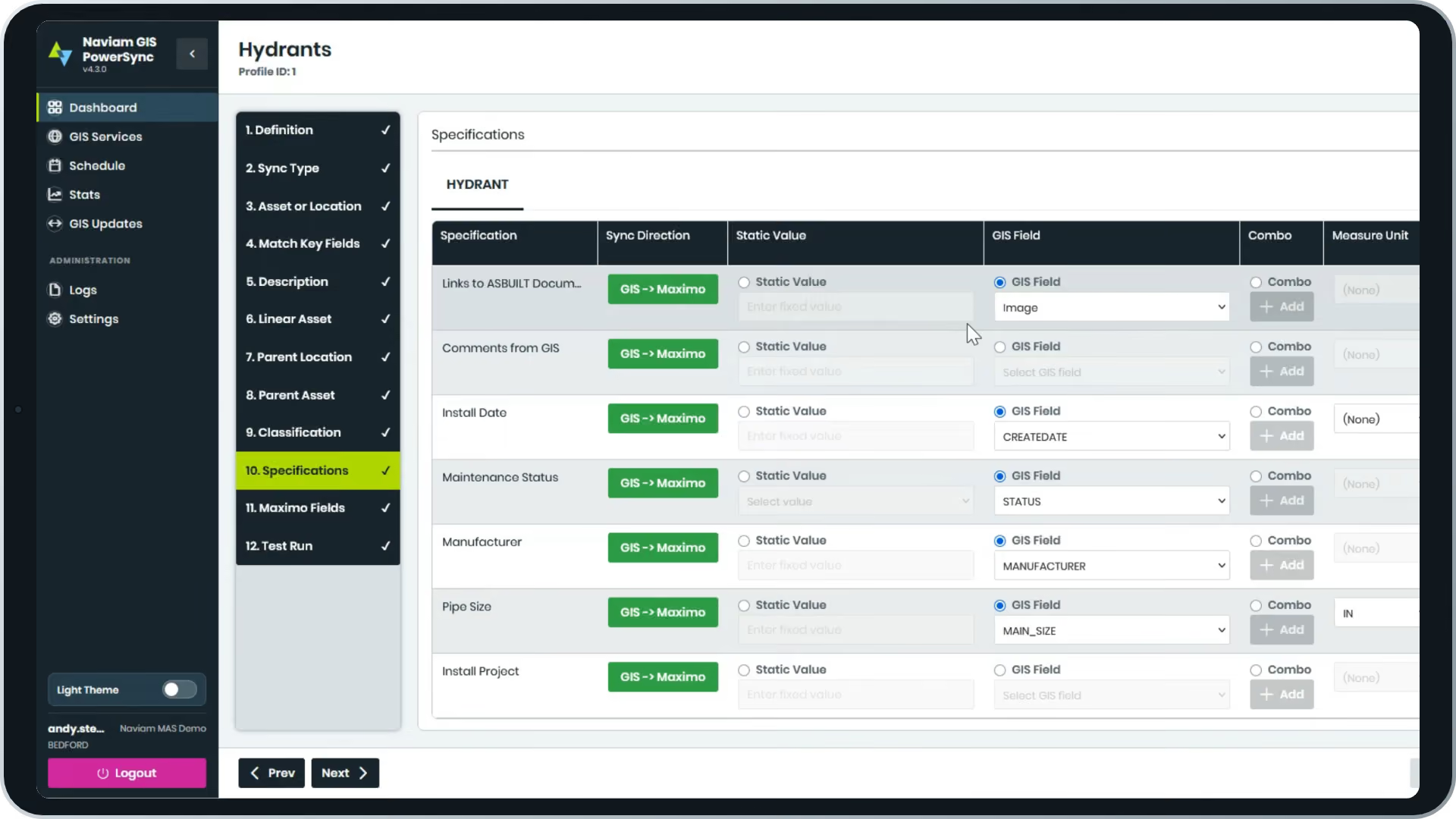
Map every field and set its direction: GIS to Maximo, Maximo to GIS, or both ways.

Hierarchy aware
Profile dependencies sync parents before children, so every asset lands in the right place.

Data health statistics
Duplicates, records in GIS but not Maximo, sync errors. See them, export them, resolve them.

Thirty-minute install
PowerSync creates its own object structures and automation scripts and connects over OSLC.
How a sync profile works
From ArcGIS feature service to scheduled sync, in five steps.
1
Connect
Log in with Maximo credentials or an API key. Add your ArcGIS feature service.
2
Configure
Pick the GIS layer, choose the sync type, match key fields, build descriptions from GIS fields.
3
Classify
Map classifications and specifications with per-field direction. Linear assets supported.
4
Test
Run a handful of records and audit the created assets, specifications included.
5
Schedule
Activate the profile and let it run daily, or as often as your GIS changes.
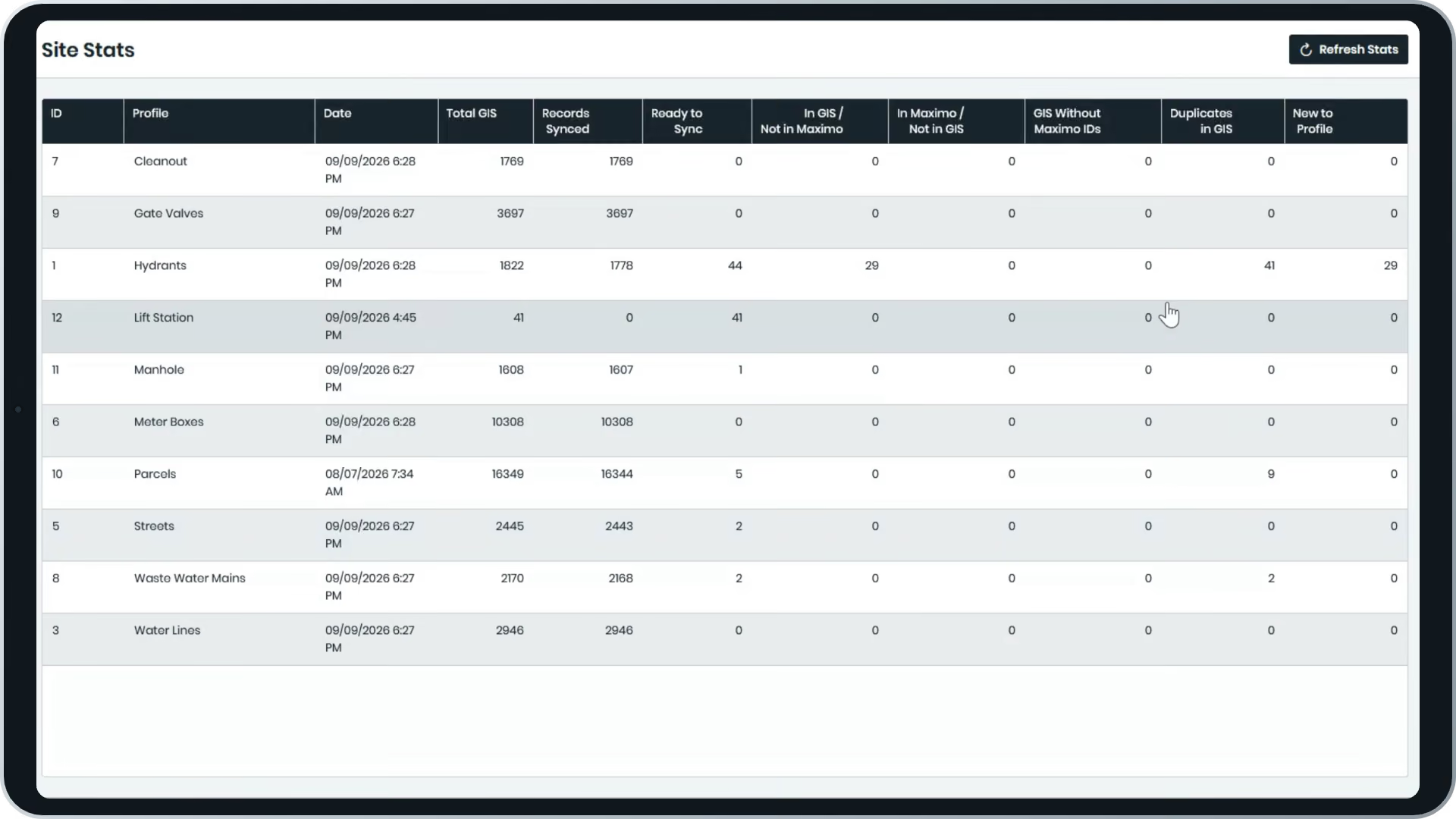
Statistics that show where the two systems disagree.
Duplicates. Records in GIS but not Maximo. Records in Maximo but not GIS. Sync errors with the reason attached. PowerSync surfaces each list so the GIS and Maximo owners can resolve gaps together, and export anything for review.
Full logs show every profile run, in order, with the records it touched.
PowerSync is the data foundation of Naviam GIS.
PowerSync fills in the coordinates and GIS reference fields in Maximo. MapEngine uses them to show your work orders, assets and service requests on a live map. Sync first, then visualize.
Frequently Asked Questions
What is Naviam GIS PowerSync?
A web application that synchronizes Esri ArcGIS with IBM Maximo. It creates and updates assets and locations in Maximo from GIS data and places them in the correct hierarchy, on a schedule you control.
What does PowerSync actually change in Maximo?
Exactly two things: it creates and updates assets and locations, and it places them in the proper hierarchy. That focus is what makes it dependable.
How long does PowerSync take to install?
About thirty minutes for a typical customer. PowerSync installs its own object structures and automation scripts in Maximo and connects over OSLC, with no Maximo downtime.
Can PowerSync write back to GIS?
Yes. Set direction per field: GIS to Maximo, Maximo to GIS, or both. Maximo-generated asset numbers can flow back to your GIS automatically.
How does PowerSync handle ongoing GIS edits?
Profiles run on schedules you define, daily or more often. New subdivisions, corrections, and reclassifications in the GIS reach Maximo on the next run.
Does PowerSync support linear assets?
Yes. Customers with Maximo Linear can set the linear referencing method for water lines, sewer lines, roads, and pipelines.
Who benefits most from Naviam GIS PowerSync?
PowerSync is valuable for business leaders who need better reporting, IT and system administrators responsible for integration and data quality, and operations or finance teams that want to improve efficiency and eliminate manual data handling.
One source of truth for your assets.
One source of truth for your assets.
See PowerSync run against your own feature service. Setup takes thirty minutes.
.avif)
