Implement Conditional Control on Select Action Menu in List View

Andy Tan

December 8, 2025

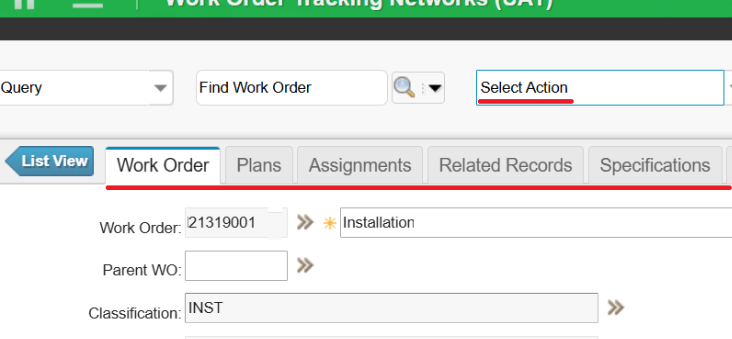
When adding an action within the Select Action menu in Maximo Application Suite, we may want the action to be only visible to certain people in a Person Group. Let's take a look at practical implementation of conditional control within the MAIN tab and in List view.

Conditional Control on Select Action Menu in MAIN tab

For such conditional UI controls, we can create a Signature Option for the Action and grant access to the users with a condition which checks whether the current person is in the required/specific Person Group.

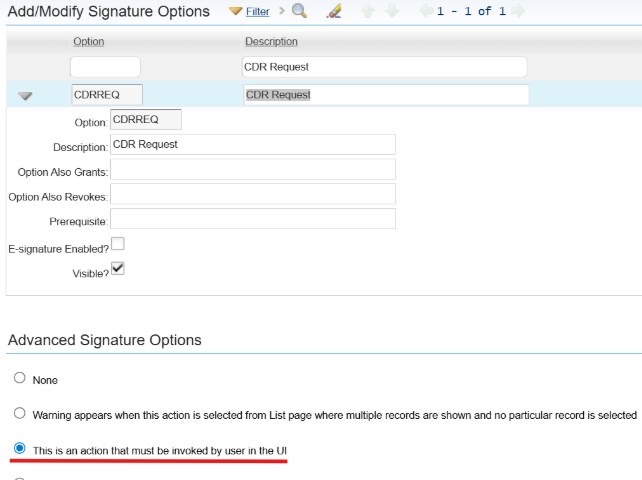
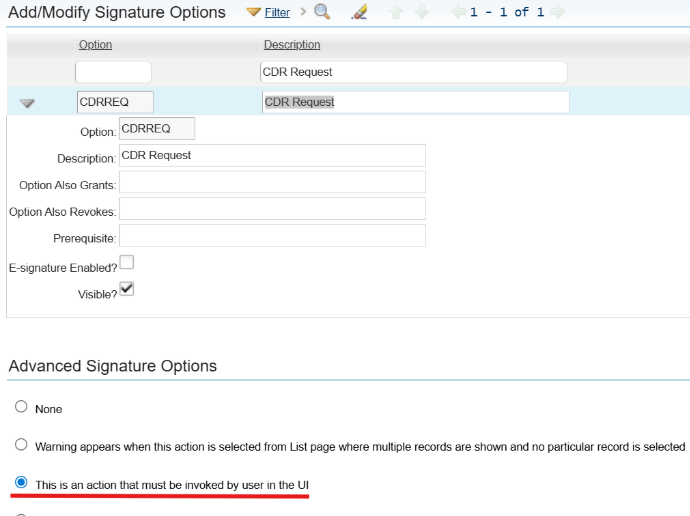
  1. Create a Signature Option for the Action and select, “This is an action that must be invoked by user in the UI” in the Advanced Signature Options.

A screenshot of a computerAI-generated content may be incorrect.

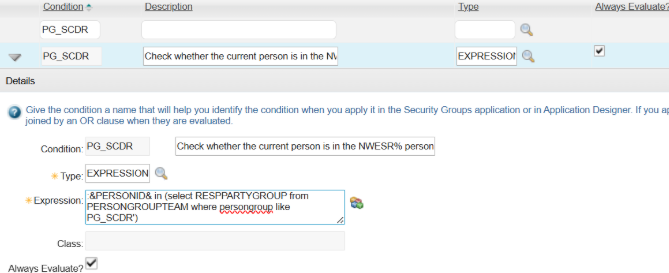
  1. Create a condition to check whether the current person is in the required/specific Person Group.

A screenshot of a computerAI-generated content may be incorrect.

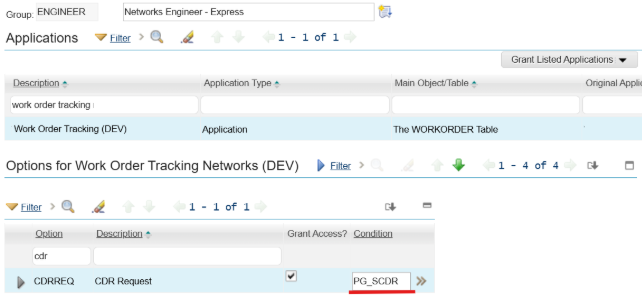
  1. Grant the Signature Option access in Security Groups to users with the new condition.


Note that the above approach only works in MAIN tab (Record detail tabs) for a single record. If we want the Action to be invoked from application LIST tab (List View), where multiple records can be selected and actioned at once, then you will find the new Action menu is still visible for all users in the Security Group, not limited to certain people in the Person Group, even the condition is applied.


This is not a Maximo bug though and it is working as designed, because:

  • Conditional UI can only operate within the context of a record. On the MAIN tab (Record detail tabs), you have a record in the database.
  • When on the LIST tab (List View), you are only in the resultsetbean so the condition calculations are not the same, hence it doesn't get evaluated on the LIST tab, only on the record detail tabs.

Conditional Control on Select Action Menu in List View

So, how do you create a conditional control on Select Action menu in the List view? Below is an alternative approach.

  1. We still create a Signature Option for the Action and select, “This is an action that must be invoked by user in the UI” in the Advanced Signation Options.

A screenshot of a computerAI-generated content may be incorrect.

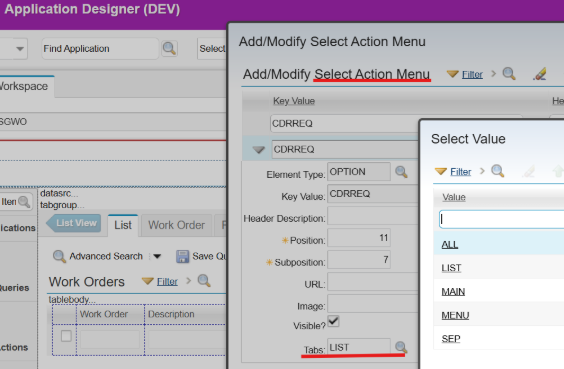
  1. Add the Signature Option to Select Action Menu and specify Tabs as LIST.

A screenshot of a computerAI-generated content may be incorrect.

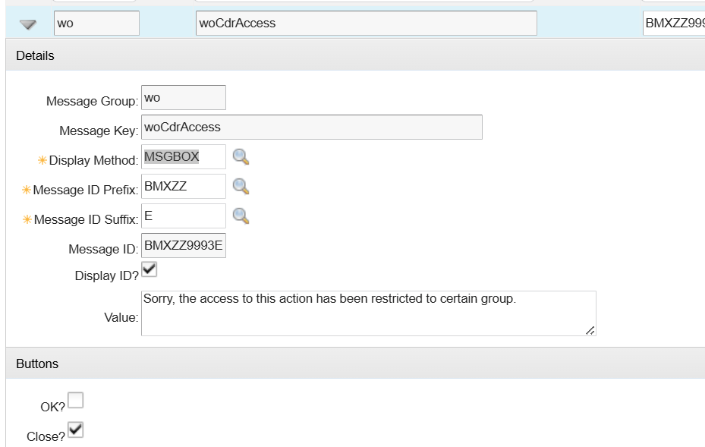
  1. Create an error message in the Database Configuration.

A screenshot of a computerAI-generated content may be incorrect.

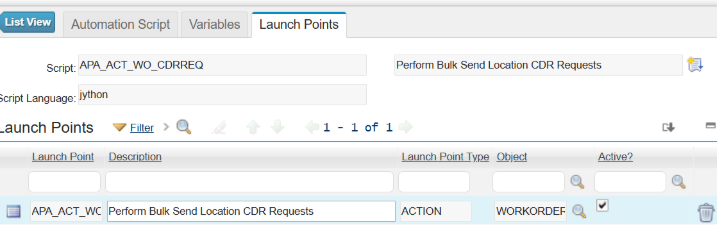
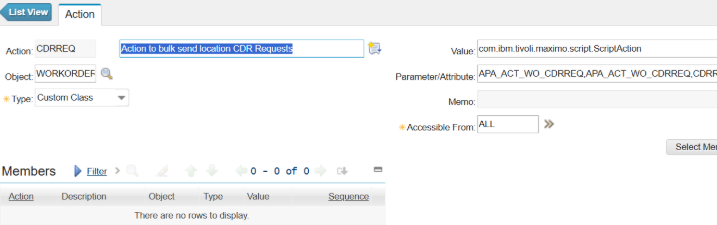
  1. Create an automation script with Action Launch Point, which will create an Action with the same name as the Signature Option.

A screenshot of a computerAI-generated content may be incorrect.

  1. In the automation script, include below scripts to display error message if the current person is not in the required Person Groups.


from psdi.server import MXServer 
from psdi.security import UserInfo   

# Get the current user's PERSONID 
current_personid = mbo.getUserInfo().getPersonId() 
pgtSet = MXServer.getMXServer().getMboSet("PERSONGROUPTEAM", mbo.getUserInfo()) 
pgtSet.setWhere("persongroup = 'PG_SCDR' and RESPPARTYGROUP = '" + current_personid + "'") 
pgtSet.reset() 
# Error out if the current person not in Person Group PG_SCDR 
if pgtSet.isEmpty():     
	service.yncerror("wo", "woCdrAccess") 
pgtSet.cleanup() 
pgtSet.close() 
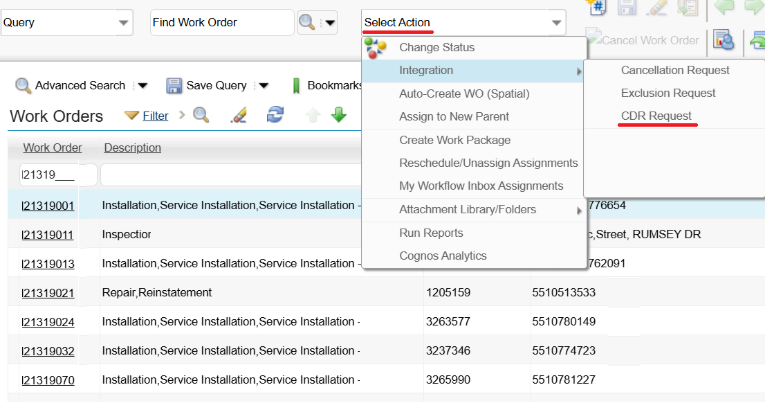
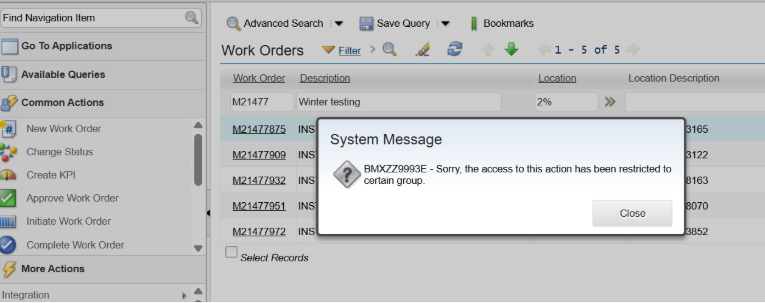
  1. Test with a user who is not in the required Person Group; the Action is still visible in Select Action in List view, but an error message will pop up when the user tries to run the Action.

A screenshot of a computerAI-generated content may be incorrect.

Entdecken Sie den ultimativen Leitfaden zur IBM Maximo Application Suite (MAS)

Erfahren Sie alles, was Sie wissen müssen, um Ihre Vermögensverwaltungsstrategie zu modernisieren.

Darin erfährst du:

  • Was ist neu in IBM Maximo Application Suite 9.0
  • Hauptunterschiede zwischen Maximo 7.6 und MAS
  • Wie AppPoints und OpenShift das Spiel verändern
  • Branchenanwendungsfälle in den Bereichen Energie, Fertigung und Transport
  • Schrittweise Anleitung für das Upgrade und die Bereitschaft zur Migration
Cover of 'The Ultimate Guide to MAS Maximo Application Suite' by Naviam featuring a man in a yellow construction helmet and safety vest holding a tablet.
×

ActiveG, BPD Zenith, EAM Swiss, InterPro Solutions, Lexco, Peacock Engineering, Projetech, Sharptree, and ZNAPZ have united under one brand: Naviam.

You’ll be redirected to the most relevant page at Naviam.io in a few seconds — or you can go now.

Read Press Release