
Maximo UI Modernization: Improving the IBM Maximo User Experience
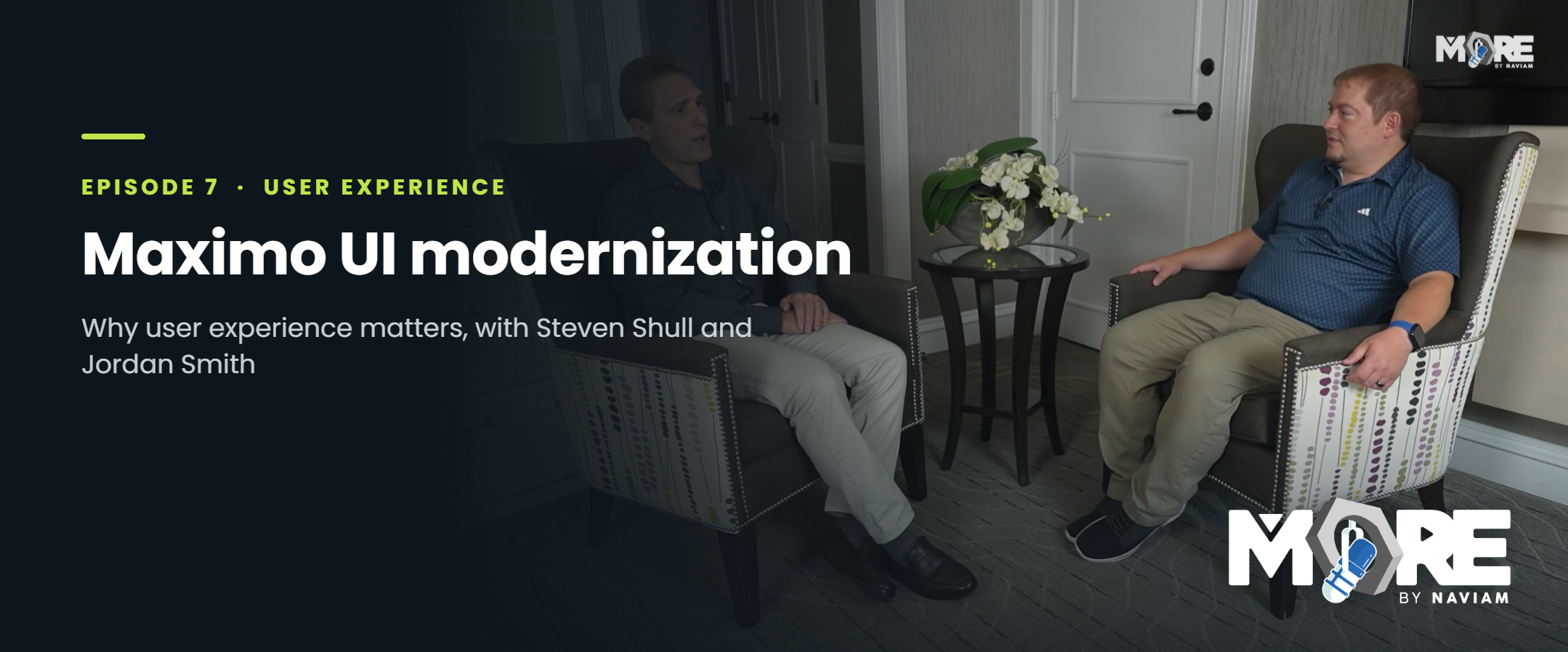
Episode 7 of MORE by Naviam: A Maximo Podcast explores Maximo UI modernization and why the user experience matters for IBM Maximo teams. Host Steven Shull is joined by Jordan Smith to discuss how a more modern, intuitive interface can help improve adoption, simplify day-to-day work, and make Maximo easier for users to engage with consistently.
IBM Maximo is built to support complex asset management processes. It helps organizations manage assets, work orders, maintenance activities, inspections, inventory, purchasing, service requests, reporting, compliance, and more.
But even the most powerful system depends on people using it effectively.
That is where the user interface matters.
The conversation focuses on a practical point: modernization is not only about upgrading technology. It is also about making Maximo easier to use, easier to understand, and easier to adopt.
Maximo UI modernization is the process of improving the way users interact with IBM Maximo.
That can include the look and feel of the interface, but it goes beyond appearance. A modernized UI should help users move through their work more easily, find the right information faster, reduce unnecessary friction, and complete tasks with more confidence.
For Maximo teams, UI modernization can touch areas like:
The goal is not simply to make Maximo look different. The goal is to make Maximo work better for the people who rely on it.
Maximo is often used by a wide range of people across an organization. Technicians, planners, supervisors, asset managers, administrators, reliability teams, inventory teams, and leadership may all interact with the system in different ways.
Each group needs something different from the interface.
A technician may need a fast, focused way to complete work. A planner may need visibility into labor, materials, schedules, and job plans. A supervisor may need to review status, exceptions, and work progress. An administrator may need tools for managing configuration, security, and system behavior.
When the interface is difficult to navigate, users can lose time and confidence.
That friction can show up in several ways:
A better user experience can reduce those barriers.
When Maximo feels easier and more intuitive, users are more likely to engage with it consistently.
Adoption is not only a training issue.
Training is important, but users are more likely to adopt a system when the system itself supports the way they work.
A modernized Maximo interface can help users understand what to do, where to go, and why certain information matters. It can make common tasks easier to complete and reduce the number of unnecessary clicks, fields, or screens standing between the user and the work they need to finish.
That matters because adoption has a direct impact on business value.
If users do not enter complete or accurate information, Maximo data becomes less reliable. If users do not follow the intended process, teams lose visibility. If users struggle to complete work in the system, the organization may not get the full value from its Maximo investment.
A better interface can help close that gap.
A modern interface is not just a cleaner design.
A visually updated screen can still be frustrating if it does not match how users actually work.
True UI modernization should focus on usability. It should help users complete tasks more efficiently, reduce confusion, and make the system easier to understand.
That means Maximo teams should ask questions like:
These questions help shift modernization from a design exercise to an operational improvement effort.
One of the biggest opportunities in UI modernization is creating better experiences for different user groups.
Not every Maximo user needs the same screen, the same fields, or the same workflow.
A one-size-fits-all interface can overwhelm users with information they do not need. It can also make important actions harder to find.
Role-based thinking can help.
For example, a technician experience may focus on assigned work, asset details, safety information, failure reporting, labor entry, and completion notes. A planner experience may focus on job plans, materials, labor estimates, schedules, and upcoming work. A supervisor experience may focus on approvals, status changes, exceptions, and team progress.
When each role has a more focused experience, Maximo can feel less complex and more aligned to the way work actually happens.
Data quality is one of the most important reasons to care about the Maximo user experience.
When screens are confusing, users may skip fields, enter information inconsistently, or complete the bare minimum required to move forward. Over time, that can weaken reports, asset history, work order analysis, compliance tracking, and decision-making.
A better interface can help users enter better data.
Clear labels, logical layouts, fewer distractions, helpful defaults, and role-based screens can make it easier for users to provide the right information at the right time.
That improves the system for everyone.
Better data supports better maintenance decisions, better reporting, better planning, and better asset management outcomes.
Maximo UI modernization does not always require heavy customization.
In many cases, teams can improve the user experience through thoughtful configuration, application design, security groups, start centers, saved queries, conditional UI, and role-based experiences.
That is an important point.
Modernization should not automatically mean creating unnecessary technical debt. The best approach is often to start with what Maximo can already support, then decide where additional tools, development, or design work may be needed.
A practical modernization strategy should balance usability with maintainability.
The goal is to improve the experience without making the system harder to support later.
UI modernization can feel like a large initiative, but it does not have to start with everything at once.
Many teams can begin by identifying the areas where users spend the most time or where friction is most obvious.
Good starting points may include:
Small improvements in the right places can have a meaningful impact.
A cleaner work order experience, a more useful start center, or a better role-based screen can make Maximo feel more approachable for users who interact with it every day.
The strongest Maximo UI modernization efforts are grounded in real user needs.
That means listening to users, reviewing support patterns, observing common workflows, and understanding where people are getting stuck.
Modernization should not be based only on what looks better. It should be based on what helps people work better.
A practical approach may include:
The end result should be a Maximo experience that feels easier, more useful, and more aligned to the business.
Episode 7 of MORE by Naviam: A Maximo Podcast is a reminder that Maximo modernization is not only about platform strategy, upgrades, integrations, or infrastructure.
It is also about the people using the system every day.
A better Maximo user interface can help reduce friction, improve adoption, support better data quality, and make day-to-day work easier for technicians, planners, supervisors, administrators, and business users.
For organizations looking to get more value from IBM Maximo, the user experience should not be treated as an afterthought.
It should be part of the modernization conversation.
Erfahren Sie alles, was Sie wissen müssen, um Ihre Vermögensverwaltungsstrategie zu modernisieren.
Darin erfährst du:


ActiveG, BPD Zenith, EAM Swiss, InterPro Solutions, Lexco, Peacock Engineering, Projetech, Sharptree, and ZNAPZ have united under one brand: Naviam.
You’ll be redirected to the most relevant page at Naviam.io in a few seconds — or you can
go now.



.avif)