
Implement Conditional Control on Select Action Menu in List View

When adding an action within the Select Action menu in Maximo Application Suite, we may want the action to be only visible to certain people in a Person Group. Let's take a look at practical implementation of conditional control within the MAIN tab and in List view.
For such conditional UI controls, we can create a Signature Option for the Action and grant access to the users with a condition which checks whether the current person is in the required/specific Person Group.
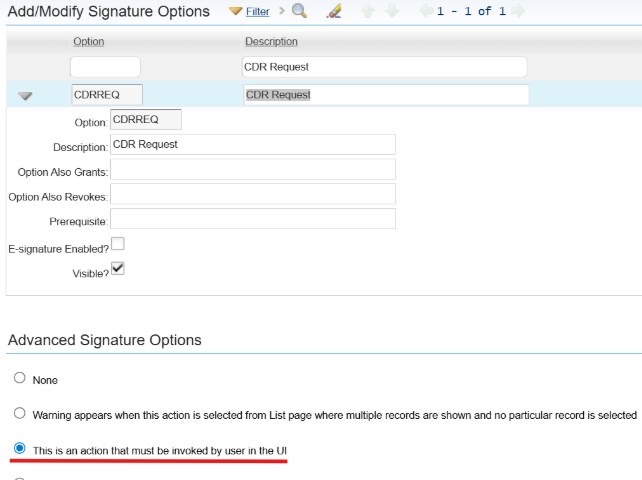
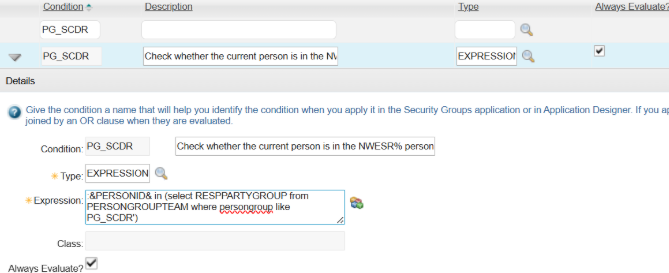
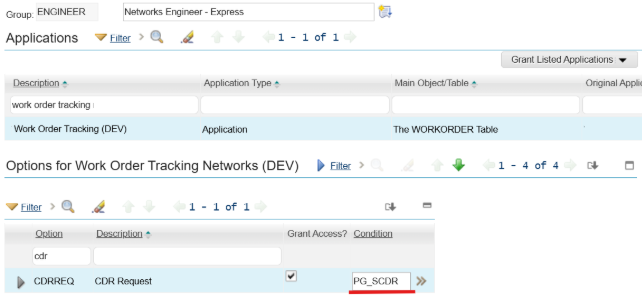
Note that the above approach only works in MAIN tab (Record detail tabs) for a single record. If we want the Action to be invoked from application LIST tab (List View), where multiple records can be selected and actioned at once, then you will find the new Action menu is still visible for all users in the Security Group, not limited to certain people in the Person Group, even the condition is applied.
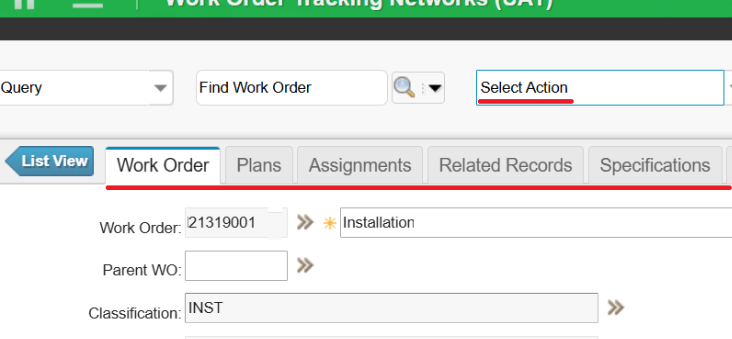
This is not a Maximo bug though and it is working as designed, because:
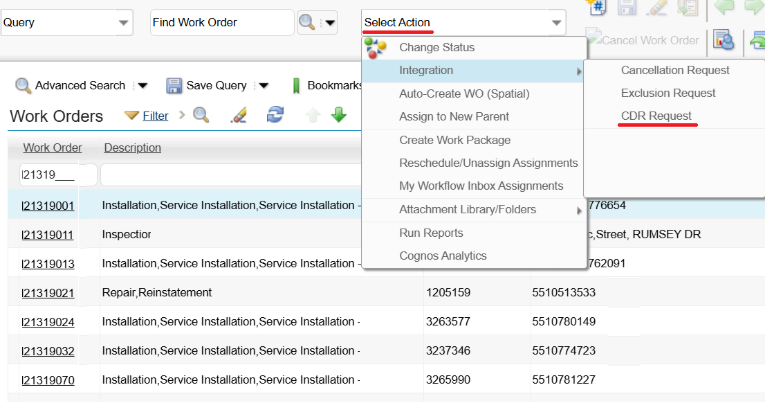
So, how do you create a conditional control on Select Action menu in the List view? Below is an alternative approach.
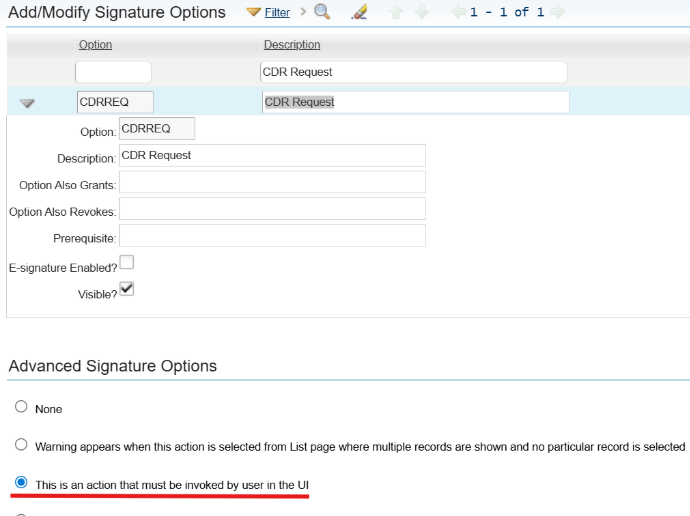
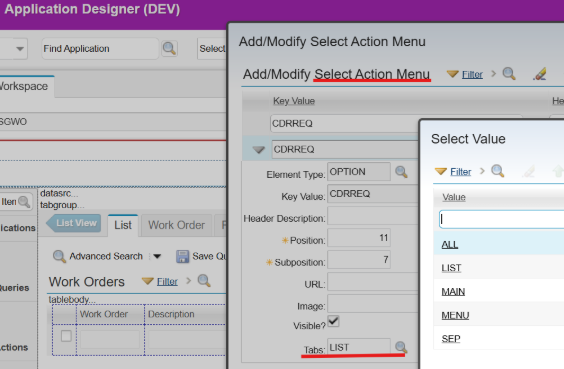
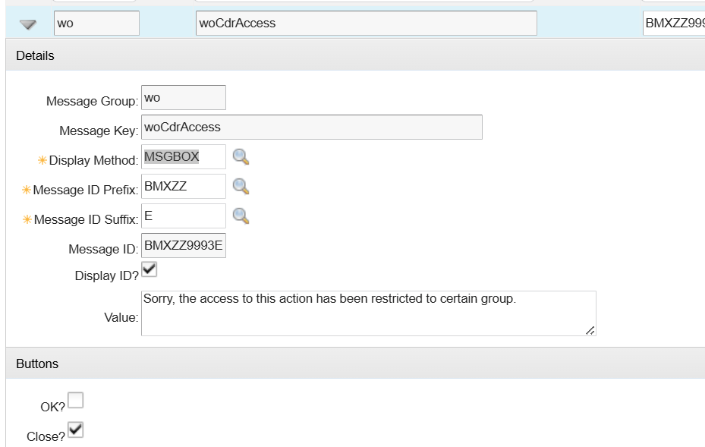
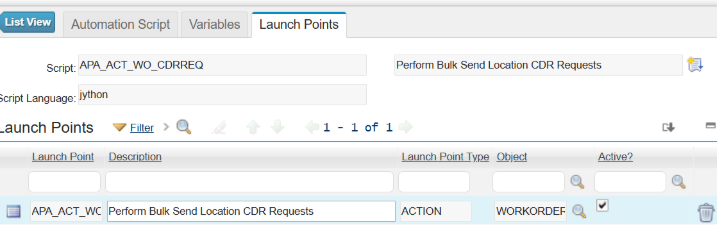
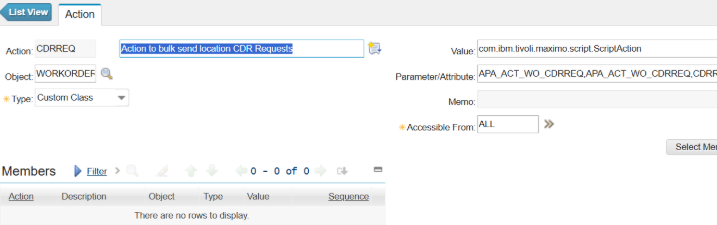
from psdi.server import MXServer
from psdi.security import UserInfo

# Get the current user's PERSONID
current_personid = mbo.getUserInfo().getPersonId()
pgtSet = MXServer.getMXServer().getMboSet("PERSONGROUPTEAM", mbo.getUserInfo())
pgtSet.setWhere("persongroup = 'PG_SCDR' and RESPPARTYGROUP = '" + current_personid + "'")
pgtSet.reset()
# Error out if the current person not in Person Group PG_SCDR
if pgtSet.isEmpty():
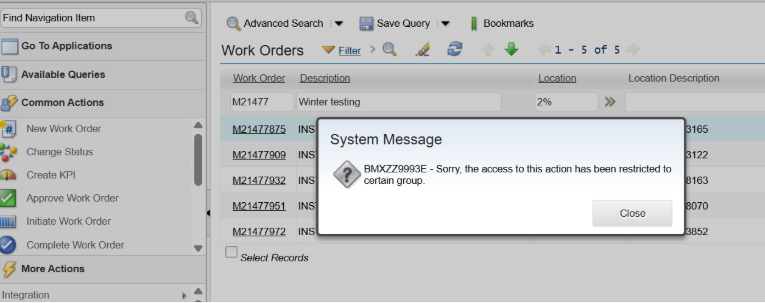
	service.yncerror("wo", "woCdrAccess")
pgtSet.cleanup()
pgtSet.close()

Discover everything you need to know to modernize your asset management strategy.
Inside, you’ll learn:


ActiveG, BPD Zenith, EAM Swiss, InterPro Solutions, Lexco, Peacock Engineering, Projetech, Sharptree, and ZNAPZ have united under one brand: Naviam.
You’ll be redirected to the most relevant page at Naviam.io in a few seconds — or you can
go now.

.avif)