
MAS Backups: Protecting Your Environment

Anytime you’re making changes to your MAS system, you need a solid contingency plan. If something goes wrong, how are you going to recover?
The goal here is to reduce risk as much as possible and avoid leaving your environment in a broken state.
IBM provides two main approaches:

The first is GitHub scripts, which have been around for a couple of years now.
The second option is newer: two Ansible roles that were just released March 2026.
Let’s look at both and see how they compare.
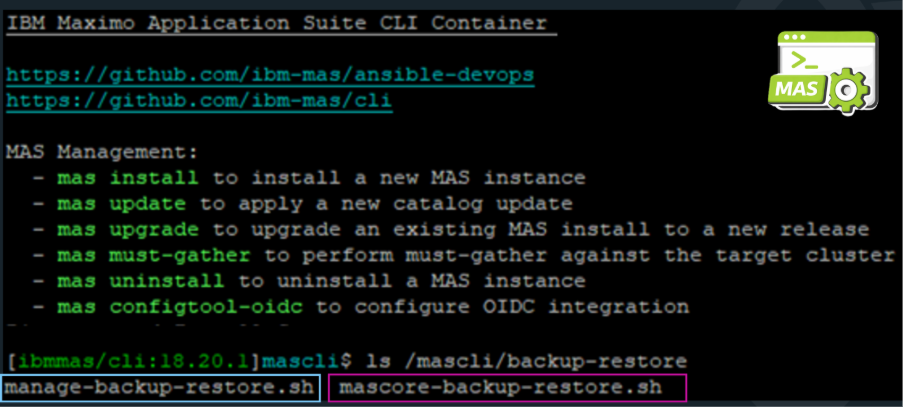
Dedicated backup scripts are available for both Core (mascore-backup-restore.sh) and Manage (manage-backup-restore.sh). These scripts are available in GitHub and are also bundled directly within the MAS CLI, making them easy to access and run.
Locate the MAS Core and Manage backup scripts within the MAS CLI at mascli/backup-restore.
The scripts interact directly with MAS namespaces and resources, requiring admin access to the OpenShift cluster.
The namespace contains most of the parameters you will need to execute these scripts.
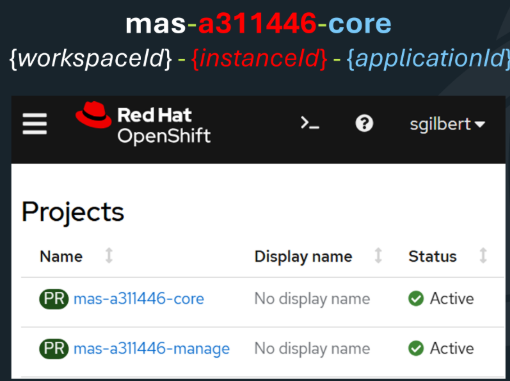
To run mascore-backup-restore.sh, provide the script location, the instance ID, the location you want the files to back up to, and the mode.

Inspect all backup files to verify that all resources backed up successfully.
Use the same parameters to execute manage-backup-restore.sh, including the workspace ID as well.

Beginning with MAS Release 36.0.0, the MAS CLI includes enhanced backup and restore commands that integrate with OpenShift Pipelines.

Before we dive into executing the mas backup command, it’s important to understand the options available.
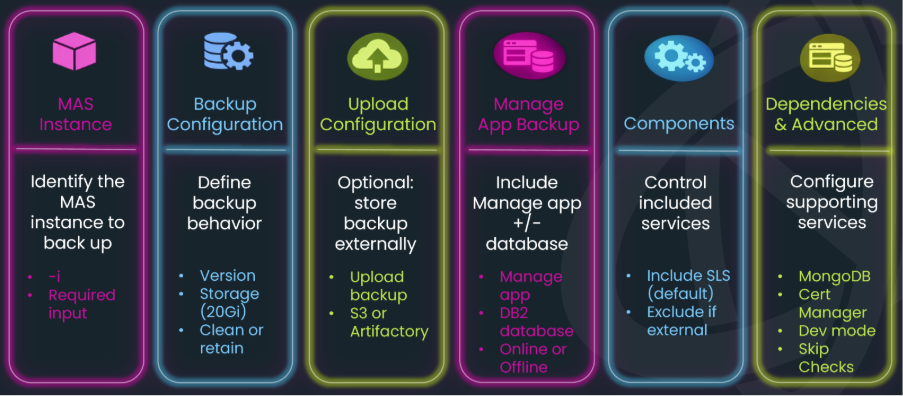
There are 32 different parameters, but they can really be grouped into six key areas:
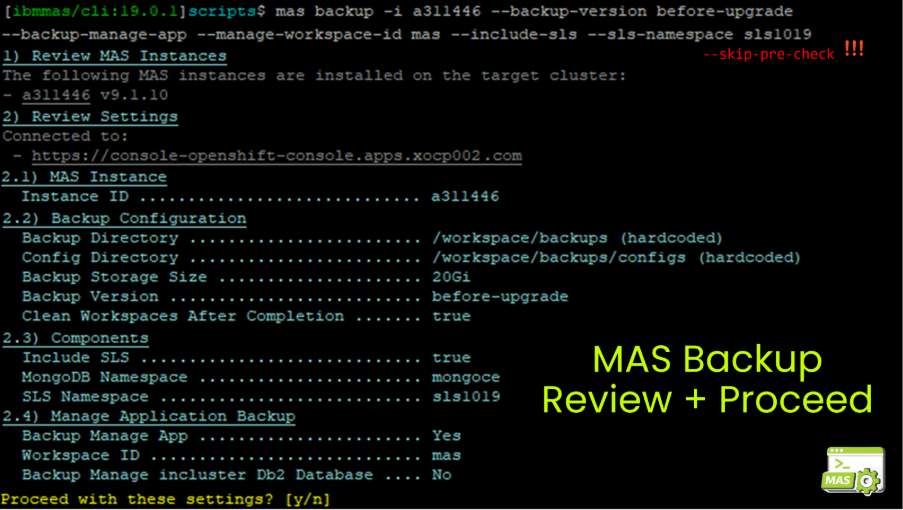
The MAS backup command below includes the Manage application, which still requires the workspace ID to be specified. It also includes SLS and specifies the namespace where it’s installed.
The first few times I ran this command, it failed almost immediately during the pre-backup-check task.
The pre-backup-check validates the health of every component across the OpenShift cluster, which isn’t ideal when you’re just trying to run a targeted backup. Use the --skip-pre-check parameter to bypass it.
Once the backup is launched, a few things happen behind the scenes.
The OpenShift Pipelines Operator gets installed into the Core namespace, then the Manage namespace since it was included in the backup, and it also creates a dedicated Pipelines namespace where the operator is installed as well.
So this isn’t just a backup—it’s making changes to your cluster.
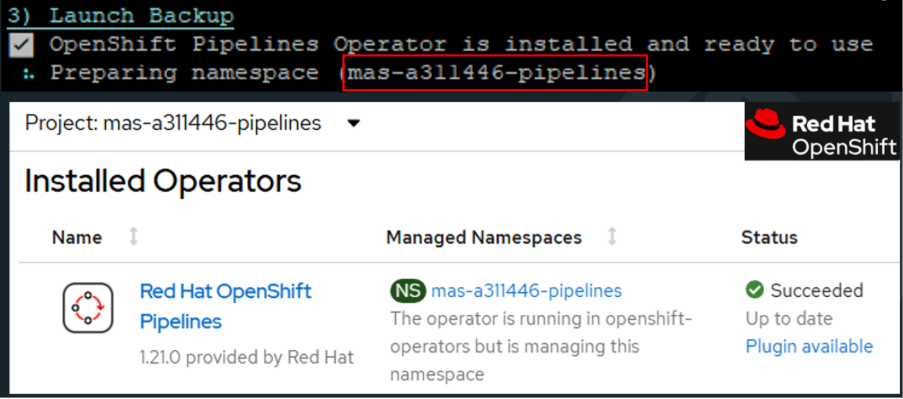
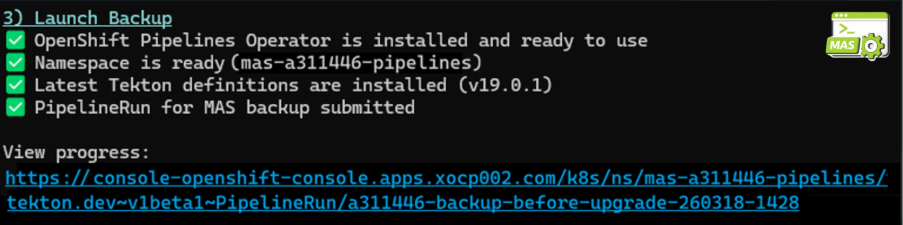
As the backup progresses and installs its dependencies, a link to the PipelineRun is provided in the MAS CLI window.
From that point on, you’ll need to continue monitoring the backup directly from the OpenShift cluster.
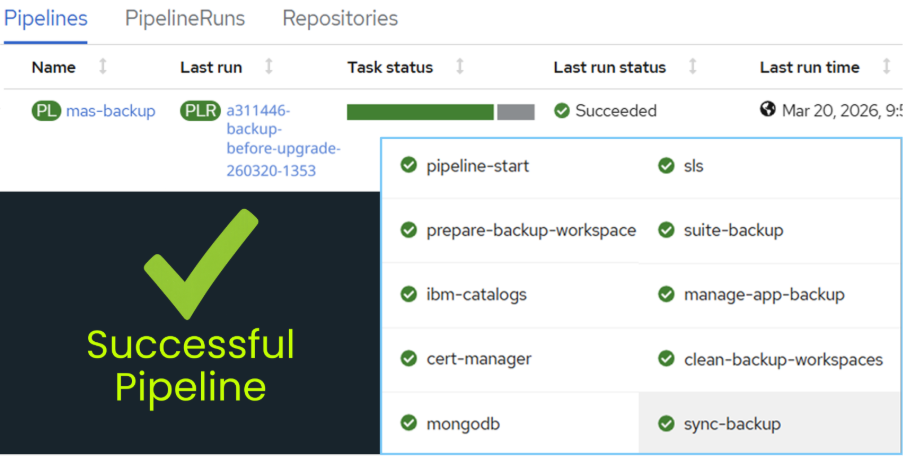
The Pipeline Run gives you a step-by-step visual of the entire backup process—from validation to final upload—so you can monitor progress in real time.

Discover everything you need to know to modernize your asset management strategy.
Inside, you’ll learn:


ActiveG, BPD Zenith, EAM Swiss, InterPro Solutions, Lexco, Peacock Engineering, Projetech, Sharptree, and ZNAPZ have united under one brand: Naviam.
You’ll be redirected to the most relevant page at Naviam.io in a few seconds — or you can
go now.


.avif)