
Plongez au cœur de MVI (On the Edge)
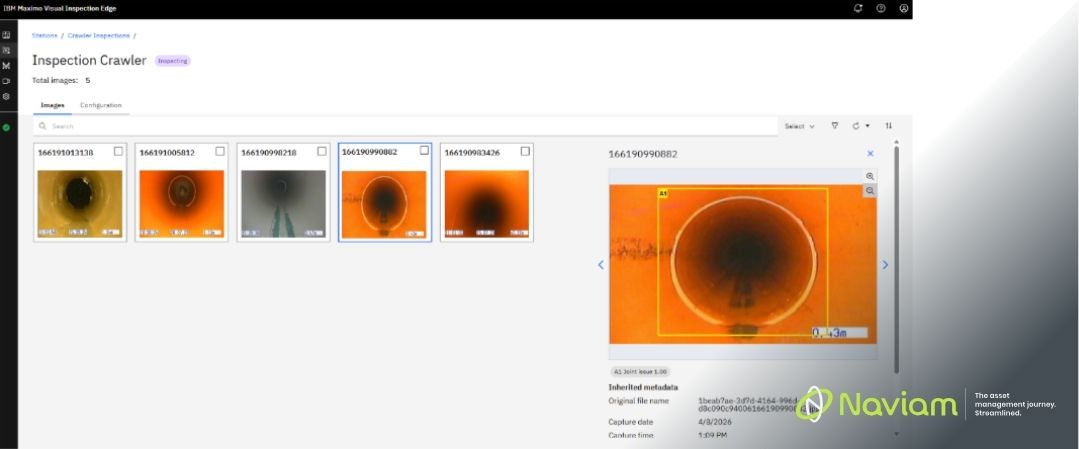
Depuis la publication de mon premier blog sur Inspection visuelle maximale (MVI), j'ai fait un petit voyage, j'ai approfondi ses fonctionnalités, exploré de nouveaux cas d'utilisation et découvert à quel point cette technologie peut être polyvalente.
Dans cet article, je souhaite partager un aperçu plus approfondi de ce que MVI a à offrir, des détails techniques et des différentes manières de l'utiliser pour résoudre des problèmes du monde réel. Que vous soyez curieux de savoir comment fonctionne MVI sous le capot, que vous souhaitiez le déployer en périphérie ou que vous recherchiez simplement des exemples pratiques, je vais aborder les idées et les leçons que j'ai apprises jusqu'à présent.
MVI combine l'analyse d'images et de vidéos avec des modèles d'apprentissage en profondeur pour effectuer la classification, la détection d'objets et la détection d'anomalies. Ce qui distingue MVI, c'est son accessibilité : les utilisateurs peuvent entraîner des modèles avec un minimum d'expertise technique, mettant ainsi l'IA avancée à la disposition d'un plus large éventail d'organisations.
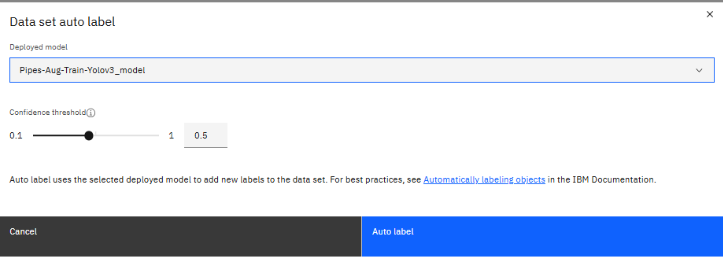
Pour entraîner un modèle à l'aide de MVI, vous aurez besoin d'au moins un GPU (oui, c'est la partie la plus coûteuse). À partir de là, le processus est simple :
Une fois formés, ces modèles sont également exportables. Permet d'utiliser les modèles sur plusieurs systèmes. Et si vous n'avez plus besoin d'affiner votre modèle, vous pouvez le laisser ici et la partie coûteuse est terminée.
Le processus ne s'arrête pas après le déploiement. Voici ce que vous pouvez faire ensuite :
Lorsque j'ai participé à un récent groupe d'utilisateurs Maximo, j'ai remarqué qu'il y avait un petit malentendu quant à la manière dont le MVI est utilisé dans l'industrie. Beaucoup de gens semblaient penser à MVI d'une manière très spécifique : imaginez une caméra fixée au-dessus d'un tapis roulant sur une chaîne de production, analysant des pièces dans un environnement stable et immuable. Et oui, c'est un cas d'utilisation classique, mais cela ne fait qu'effleurer la surface.
Ce que j'ai découvert, c'est que MVI est bien plus dynamique et polyvalent que beaucoup ne le pensent. Il n'est pas limité aux configurations statiques. Par exemple, un technicien peut utiliser le MVI pour des inspections en personne, simplement en prenant une photo d'un actif alors qu'il se promène dans une usine. Vous pouvez également utiliser les flux en direct des caméras de sécurité situées le long des voies ferrées pour vérifier automatiquement la présence d'obstacles. À l'autre extrémité du spectre, vous pouvez même avoir des drones survolant une ferme solaire, le MVI surveillant les images en direct ou les analysant ultérieurement dans le cadre d'une inspection par lots.
L'essentiel ? MVI s'adapte à vos besoins. Il ne s'agit pas d'adapter votre processus à l'outil, mais de laisser l'outil s'adapter à votre cas d'utilisation, qu'il soit fixe, mobile, en direct ou après coup.
Déploiement Edge signifie exécuter les modèles d'IA de MVI sur des appareils ou des serveurs plus proches des actifs. Un exemple simple est une caméra connectée directement à un serveur périphérique local. La caméra transmet les données à ce serveur avec une latence minimale, où la sortie est analysée en continu, prête à être déclenchée par le modèle.
L'utilisation d'un serveur Edge est étonnamment simple une fois que vous avez commencé. La première étape consiste à le connecter à votre serveur de formation MVI à l'aide d'une clé API. C'est cette connexion qui permet de tout débloquer. À partir de là, vous pouvez sélectionner les modèles que vous souhaitez exécuter localement sur l'Edge.
Une fois les modèles en place, vous configurez vos sources d'entrée. Vous pouvez choisir entre des dossiers d'images, des dossiers vidéo ou des flux de caméra en direct, selon la manière dont vous souhaitez inspecter vos données. Qu'il s'agisse d'une diffusion en direct constante ou d'un lot d'images et de vidéos déposés selon les besoins, le serveur Edge le gère de manière propre et efficace.

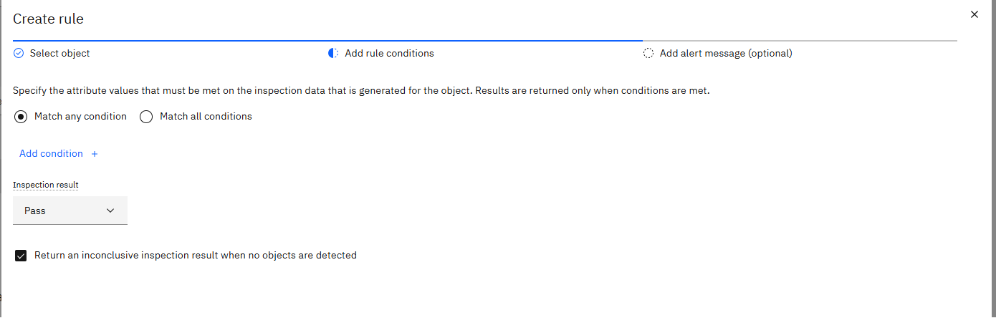
Ensuite, vous créez une station. Considérez cela comme un regroupement logique pour vos inspections, regroupant les résultats connexes en un seul endroit. Au sein d'une station, vous définissez ensuite les inspections individuelles. Chaque inspection vous permet de décider quel modèle utiliser, comment il doit se comporter et ce qui le déclenche, que ce soit selon un calendrier ou en fonction d'un message MQTT.
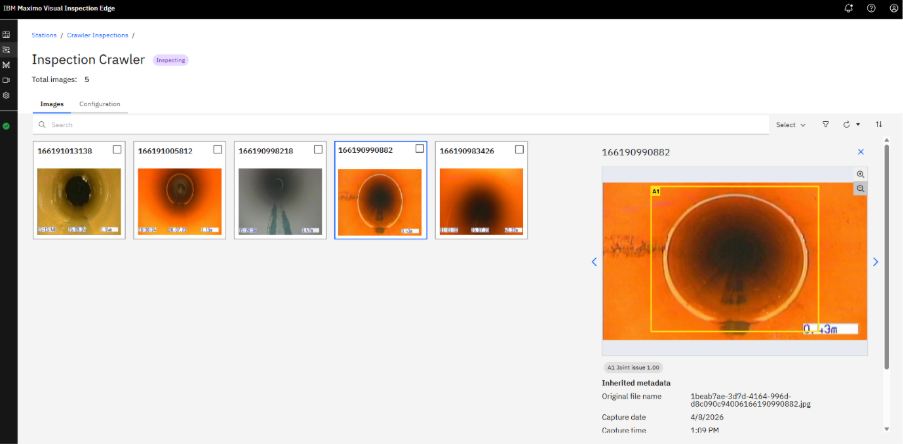
Enfin, tout est réuni dans le tableau de bord. De là, vous pouvez voir toutes vos inspections en un coup d'œil et comprendre instantanément leur état actuel. Vous pouvez suivre ce qui a été traité, examiner les résultats au fur et à mesure qu'ils arrivent et repérer rapidement tout ce qui nécessite une attention particulière.
Une ferme solaire déploie des drones équipés d'une IA de pointe pour inspecter les panneaux. Les drones analysent les images en temps réel, signalent les panneaux endommagés et envoient uniquement des alertes exploitables au système central Maximo. Les techniciens de terrain reçoivent des bons de travail ciblés, ce qui réduit le temps d'inspection manuelle et maximise la disponibilité des actifs.
L'un des avantages du déploiement en périphérie est la flexibilité. Les serveurs ou les appareils exécutant les modèles peuvent varier en fonction de votre cas d'utilisation et des exigences du modèle. J'ai récemment assisté au UK&I MUG avec Naviam. Nous y avons assisté à une démonstration dans laquelle IBM avait un serveur Edge fonctionnant sur un matériel vieux de près de 15 ans, sans GPU et avec seulement 16 Go de RAM.
La règle s'applique toujours : vous en avez pour votre argent. Un serveur plus récent vous offrira une vitesse et une fiabilité accrues, mais même un matériel modeste peut gérer certaines charges de travail sans vous ruiner.
Les fonctionnalités de pointe de MVI constituent une avancée en matière de gestion d'actifs, car elles fournissent des informations exploitables en temps réel là où elles sont le plus importantes. Permettre aux équipes de former et de déployer des modèles avec peu ou pas d'expérience réelle des modèles de vision. Dans le prochain blog, j'aborderai plus en détail de Naviam solution qui nous permet de combler le fossé en intégrant les inspections MVI (à la fois en périphérie et dans le cloud) directement dans MAS Manage.

Discover everything you need to know to modernize your asset management strategy.
Inside, you’ll learn:


ActiveG, BPD Zenith, EAM Swiss, InterPro Solutions, Lexco, Peacock Engineering, Projetech, Sharptree, and ZNAPZ have united under one brand: Naviam.
You’ll be redirected to the most relevant page at Naviam.io in a few seconds — or you can
go now.


.avif)