
在 MAS 中保护 Maximo DocLinks:解决 OpenShift 的固定 GID 要求

**Before diving in, I want to acknowledge the research and analysis in this piece is entirely thanks to the outstanding work of Rahul Raju, Senior Maximo Consultant with Naviam, and Murali Shunmugaraja, Cloud and Dev Ops Lead with Yarra Valley Water.
Migrating existing Maximo deployments, specifically transitioning from Maximo 7.6.1 to Maximo Application Suite (MAS) on OpenShift, often presents a critical challenge concerning persistent storage access: the DocLinks volume.
This post details the vital configuration steps required to ensure that Maximo workloads successfully access and interact with existing NetApp NFS volumes by enforcing a fixed Group ID (GID), thereby overcoming standard OpenShift dynamic security constraints.
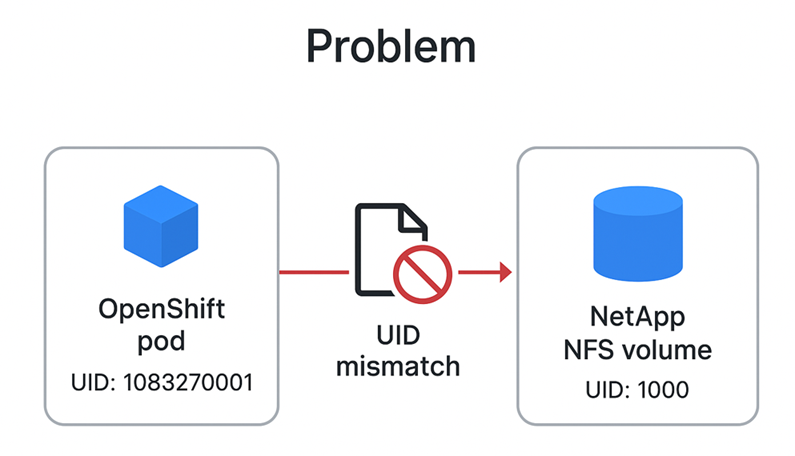
In the legacy Maximo 7.6.1 environment, DocLinks volume access was provisioned using fixed Linux User IDs (UIDs) and Group IDs (GIDs), let us say 1000 and 1001 respectively, associated with specific users (wasuser, wasgroup).
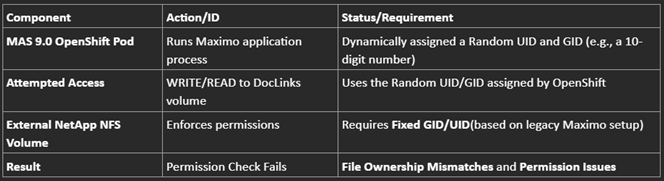
However, the MAS 9.0 environment on OpenShift introduces a conflict:
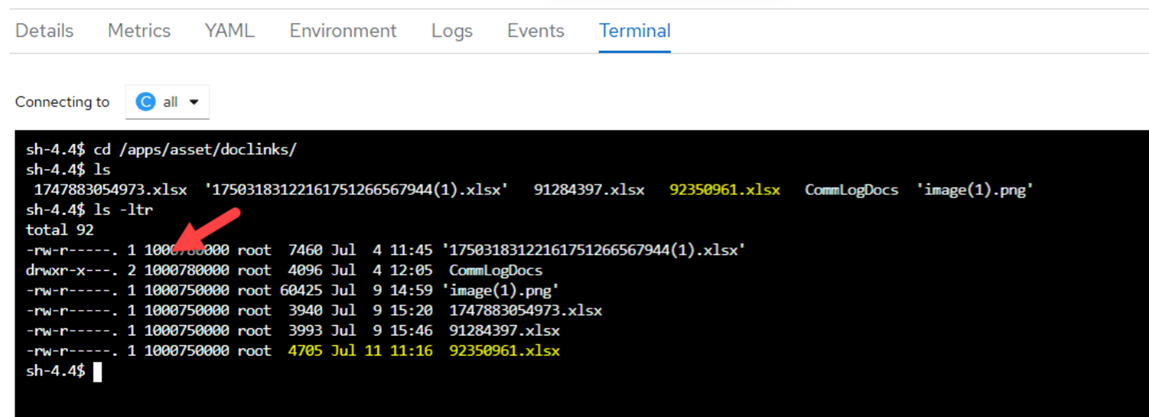
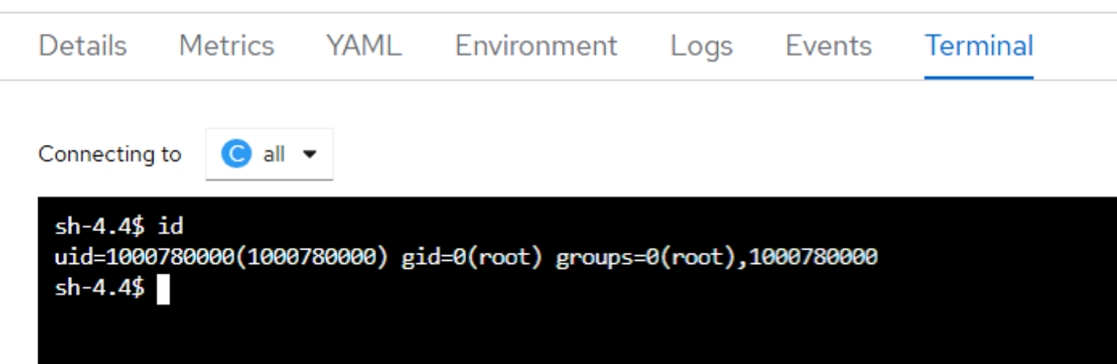
Because the containerized Maximo workloads use a random, dynamically assigned UID to access the volume, while the volume expects a fixed UID (specifically 1000), we encounter file ownership mismatches and permission issues when attempting actions like file uploads.
For our existing NetApp volume patterns to function correctly, it is vital that OpenShift communicates to the volume on a fixed UID/GID, such as 1000/1001, instead of using a random UID or the root group. We need a specific fsGroup or Group ID to handle read/write access.
To compel OpenShift to use the required fixed GID 1001 when accessing the DocLinks volume, we leverage OpenShift's Security Context Constraints (SCCs) and apply specific changes to the ManageWorkspaces Custom Resource Definition (CRD) instance.
First, we create an SCC that mandates the exact fixed GID we need. This resource sets permissions on specific OpenShift controls.
The critical setting ensures that the fsGroup MustRunAs GID 1001:
# SCC Snippet: mas-test-manage-SCC
fsGroup:
type: MustRunAs
ranges:
- min: 1001 # Define the minimum allowed GID
max: 1001 # Define the maximum allowed GID
supplementalGroups:
type: RunAsAny
volumes: ['*']
# ... other standard non-privileged security settings ...
We save this definition (e.g., ./mas-test-scc.yaml) and apply it using command
oc apply -f ./mas-test-scc.yaml
Complete example of such yaml file is shared below:
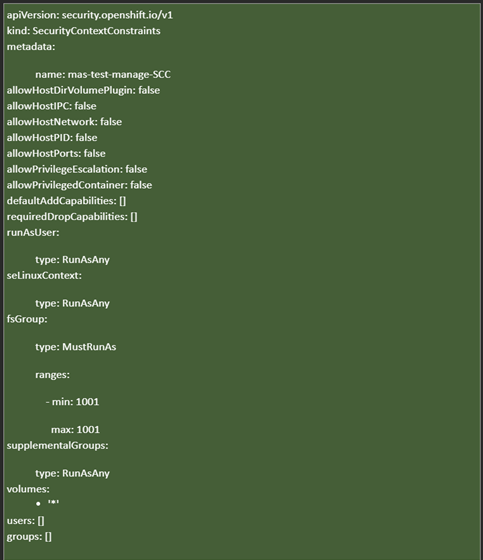
Next, we must bind this custom SCC (mas-test-manage-securitycontext) to the service account responsible for creating the Maximo pods (e.g., ibm-mas-manage-manage-deployment):

Two final operational updates are necessary:
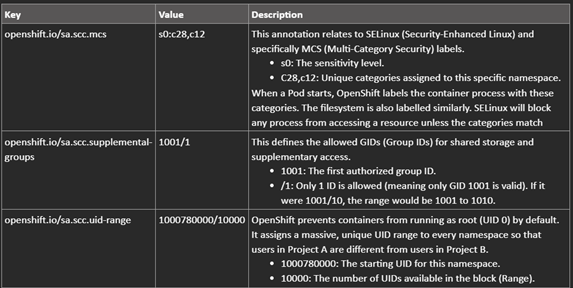
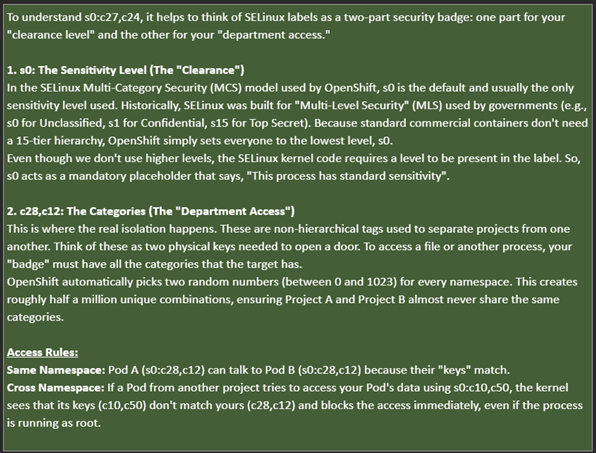
The securityContext must enforce runAsGroup: 1001 across all relevant Maximo workloads. This fixed GID must be applied to the following workload templates defined in the CRD:
Example snippet applied to the manageWorkspaces CRD instance:
podTemplates:
- name: manage-maxinst
securityContext:
runAsGroup: 1001 # Enforce the fixed GID
supplementalGroups:
- 0
- name: all
安全上下文:
RunasGroup:1001
补充小组:
-0
#... 对 jms、mea、cron、ui、report 重复一遍...
通过定义 RunasGroup:1001,保证每个访问 DocLinks 卷的容器都使用正确的历史 GID,从而解决了长期存在的权限不匹配问题。
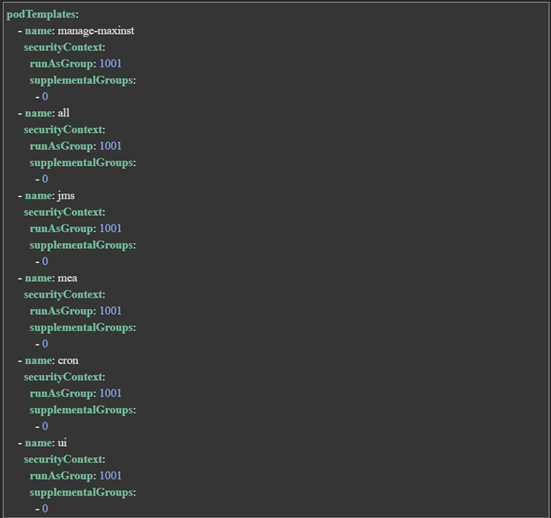
总之,一旦这些更改应用于 OpenShift 命名空间,部署在其中的所有 pod 都将继承并使用配置的 GID(例如 1001)运行,从而确保在工作负载中执行一致的安全上下文。
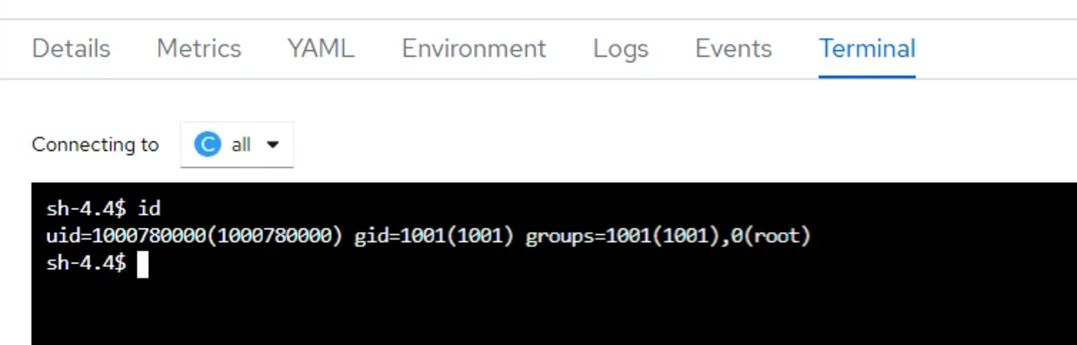
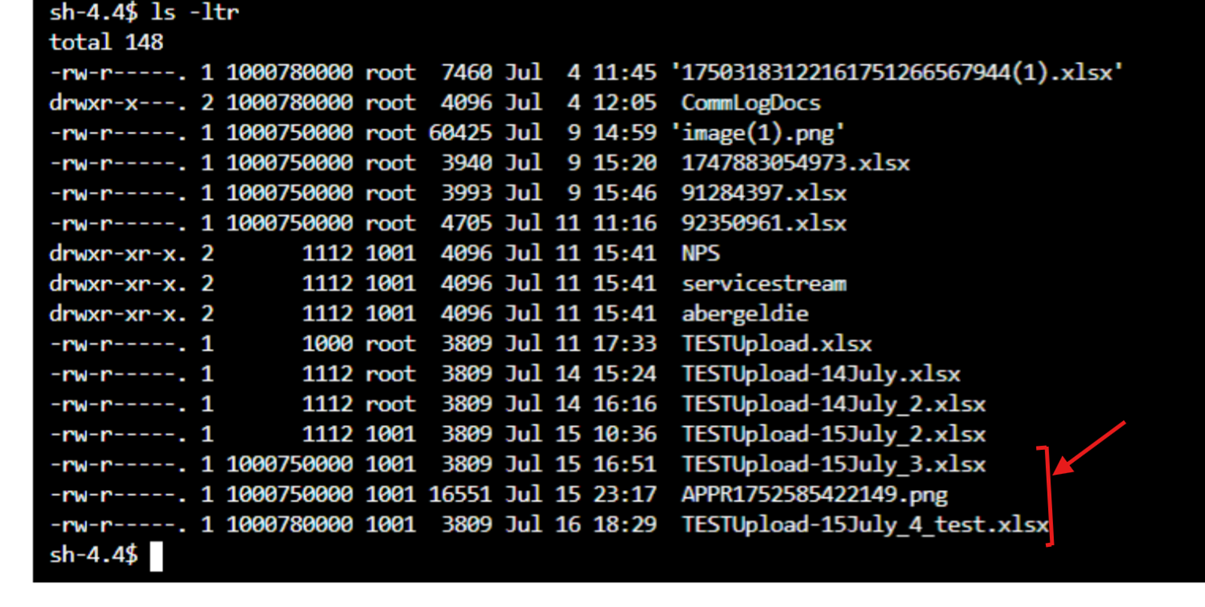
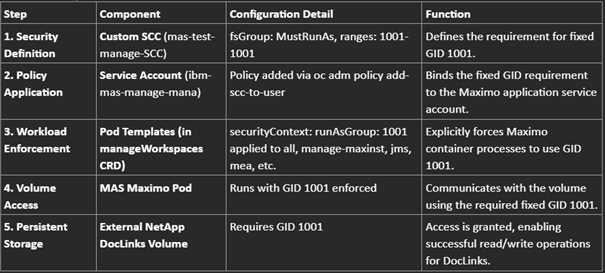
这种结构化方法可确保在OpenShift上升级到Maximo Application Suite 9.0之后,DocLinks的持久性成功迁移和持续发挥作用。
注意:-NFS 级别的安全策略已更新,仅定义了 GID (1001) 级别的访问限制。修复常量的 UID openShift 不推荐 Pod,尤其是当你计划在同一个集群上托管多个环境时。因此,任何在 UID 级别定义的限制都需要删除或在 GID 级别重新定义。

Discover everything you need to know to modernize your asset management strategy.
Inside, you’ll learn:


ActiveG, BPD Zenith, EAM Swiss, InterPro Solutions, Lexco, Peacock Engineering, Projetech, Sharptree, and ZNAPZ have united under one brand: Naviam.
You’ll be redirected to the most relevant page at Naviam.io in a few seconds — or you can
go now.


.avif)