

Importeer, corrigeer, keur goed en verwerk Maximo-data in enkele minuten.
Naviam DataStudio is een webgebaseerde dataloader voor Maximo. Hiermee kunnen geautoriseerde teams datasets in IBM Maximo opvragen, bewerken, valideren en uploaden, inclusief realtime verificatie en workflow-goedkeuringen.
MapEngine

Installed inside IBM Maximo Application Suite


Maximo security groups and workflow
The person who knows the data isn't the person who loads it.
Field and business teams understand the assets but not Maximo's field rules and lookups. Technical teams can load data into Maximo but can't judge whether it's right.
- Manual data processes that are slow and error-prone
- Disconnected tools, ad-hoc scripts, or external storage
- Difficult data governance, audit trails, and validation
DataStudio moves each file between the people who know the data and the people who load it.
1
Enter
Business users create or import data. Errors appear as they work.
2
Approve
The file routes through Maximo workflow. Approvers are notified, review, and approve.
3
Commit
An authorized user commits the approved file. Records are created or updated in Maximo.
4
Audit
The committed file is kept as read-only history, with an audit trail of file access and data changes.
One person can hold every role, or each step can sit with a different team.
Catch errors before Maximo does.
DataStudio simulates the load in a temporary file, so you know which rows will go in before anything touches real Maximo tables. Fix a value, tab out, and the row revalidates.
Maximo business rules
Format, values, and business rules, as Maximo enforces them.
Your custom Maximo rules
Custom rules you have implemented in Maximo are applied too.
Template rules
Add requirements Maximo doesn't have, such as making asset type mandatory.
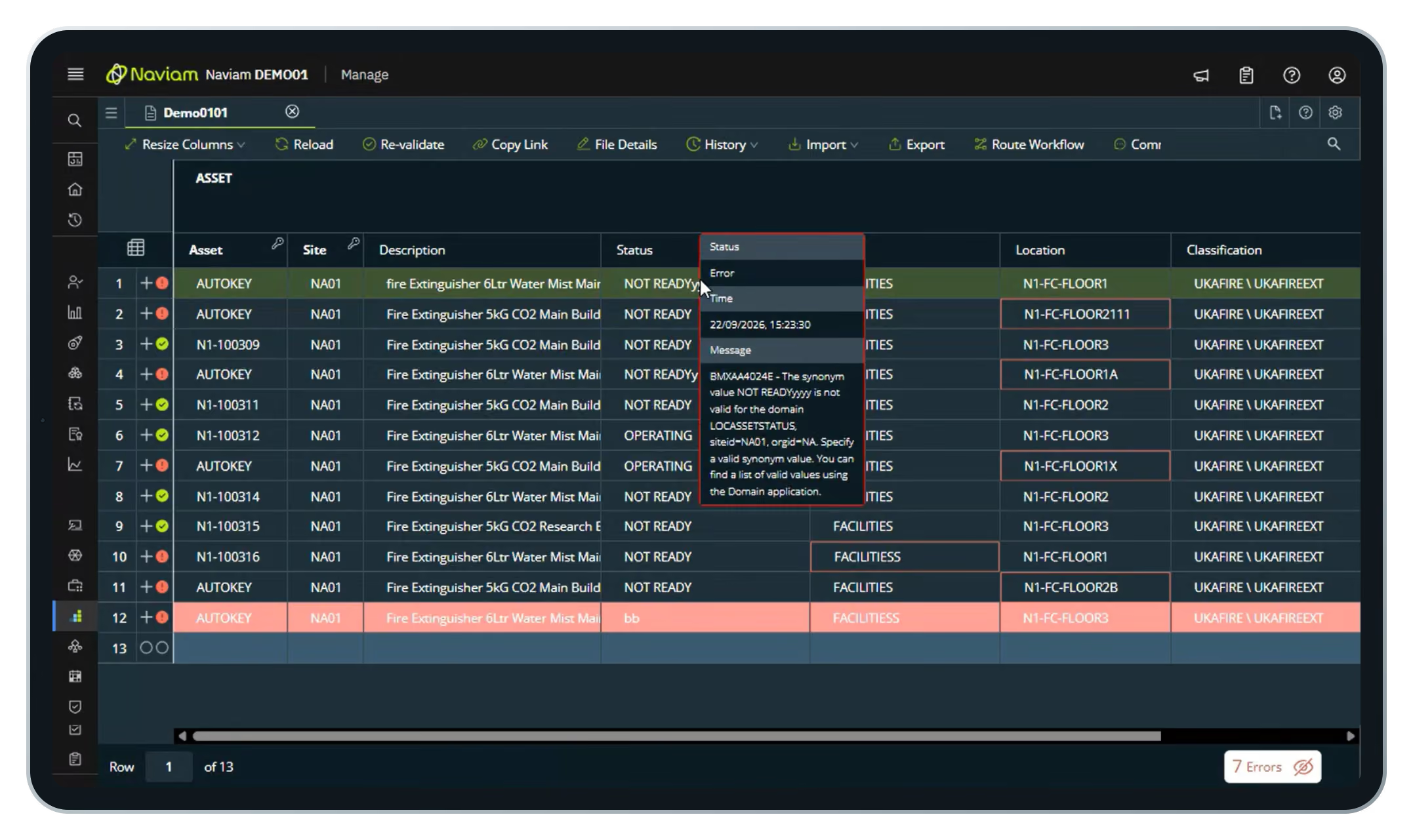
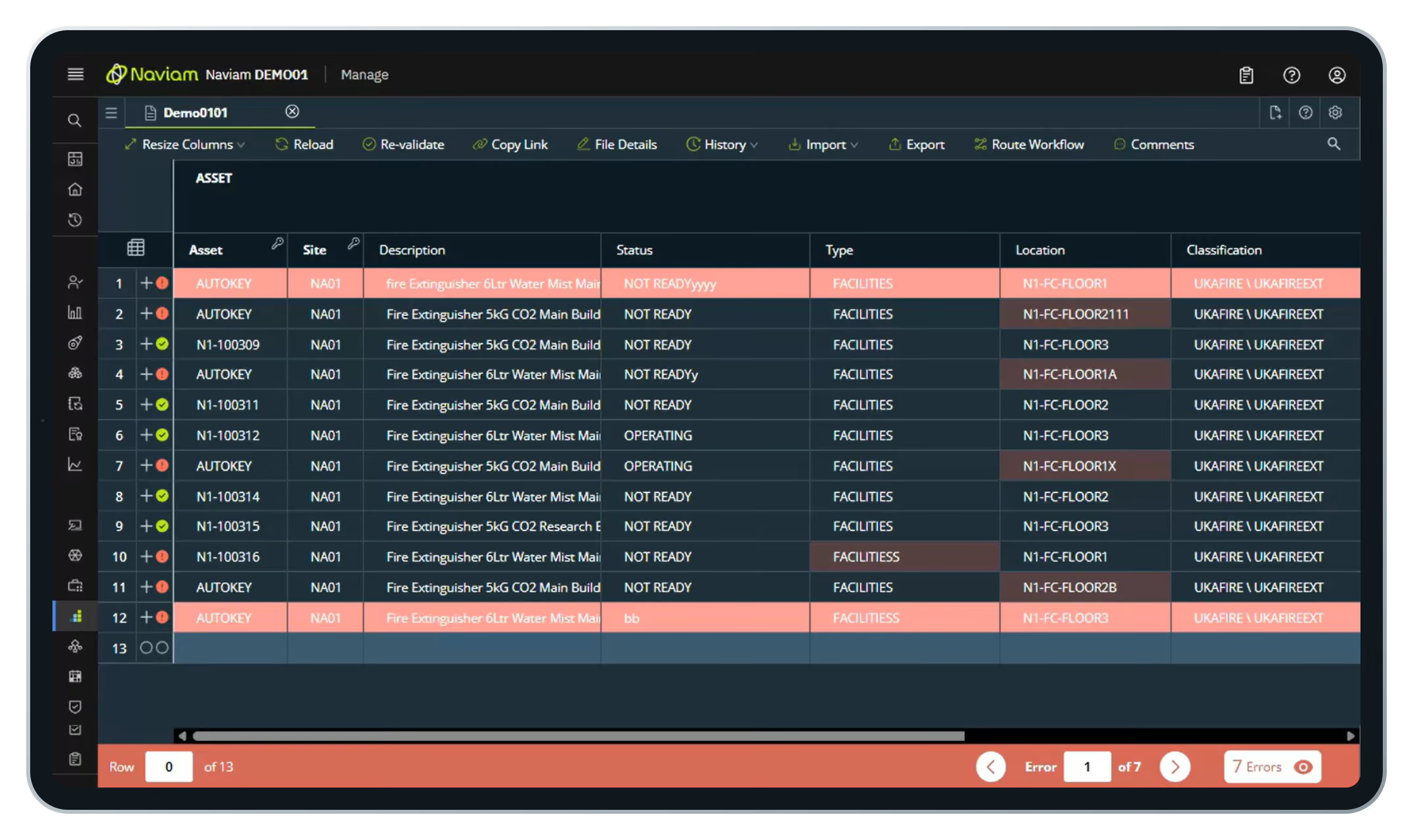
Turn a messy spreadsheet into Maximo records.
A supplier or survey team sends a list of new assets. It has typos and missing values. DataStudio shows you every one.
- Create a file from a template
- Drag in the Excel workbook and pick the sheet
- Every row validates on import
- Step through error and fix them in place
- Send for approval, then commit
Fill the gaps already in Maximo.
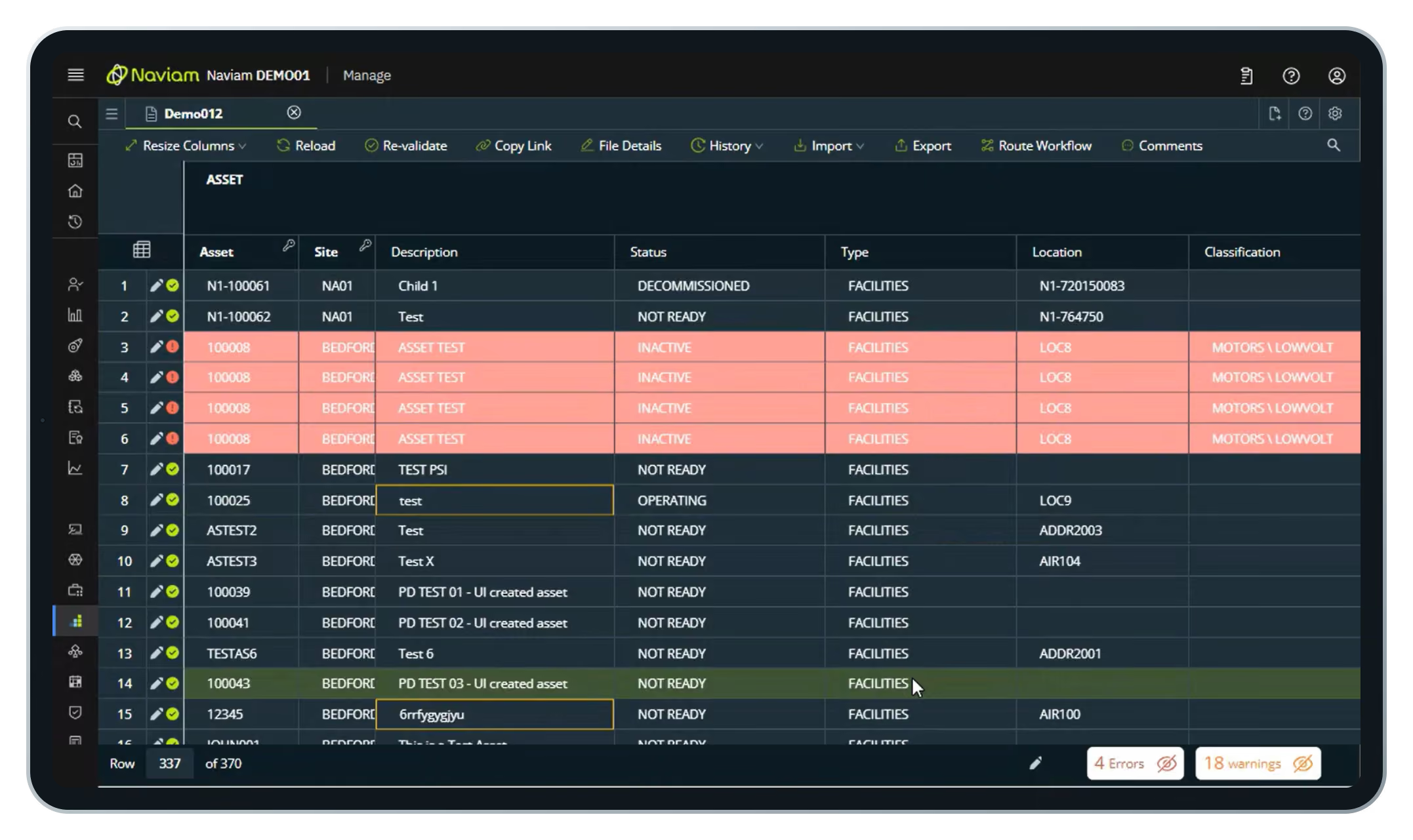
Assets with no type or tag hold back initiatives like asset health. Pull them out, enrich them, and push them back.
- Import from a query with a WHERE clause
- Pull only the records that need attention
- Fill down values across many rows at once
- Approve and commit back to Maximo
Key features
Beyond import and validation, DataStudio is built for governed, ongoing data work.

Approvals and access
Configurable Maximo workflows route each update for review. Maximo security groups control who views, edits, approves, and loads.

Reusable templates
Assets, job plans, locations, PMs, and more, with version control.

Folder manager
Teams work independently in their own secured areas within Maximo.

Audit trail
File access and data changes recorded for compliance and QA.

Part of Maximo, not another system to manage.
Looks like Maximo. Embedded in the Maximo shell, so users already know their way around.
Standard integration. Connects through the Maximo OSLC REST API and does not extend out-of-the-box Maximo features.
Ready to use. Ships with preconfigured templates, object structures, and automation scripts.
Settings preserved. Templates and security groups carry through upgrades.
Veelgestelde vragen
Wat is Naviam DataStudio?
Naviam DataStudio is een webgebaseerde tool voor gegevensbeheer voor IBM Maximo waarmee teams grote datasets kunnen opvragen, bewerken, valideren, goedkeuren en uploaden met meer snelheid, controle en nauwkeurigheid.
Hoe valideert Naviam DataStudio gegevens voordat deze in Maximo worden ingevoerd?
DataStudio maakt gebruik van een realtime validatie-engine die de bedrijfsregels, vereiste waarden, domeinen, opmaakpatronen en validatie op sjabloonniveau controleert voordat gegevens worden vastgelegd, zodat teams problemen vroegtijdig kunnen opsporen.
Slaat Naviam DataStudio gegevens op buiten Maximo?
Kan Naviam DataStudio bulkuploads en op Excel gebaseerd gegevenswerk ondersteunen?
Ja. DataStudio ondersteunt bulkuploads, exports, op query's gebaseerde import en Excel-interoperabiliteit, waardoor het eenvoudiger wordt om grote sets activa-, locatie-, PM- en taakplangegevens te laden, op te schonen, bij te werken en te valideren.
Hoe werken goedkeuringen en rollen in Naviam DataStudio?
DataStudio ondersteunt toegang op basis van rollen met afzonderlijke rollen als alleen-lezen, editor en goedkeurder, plus goedkeuringen op basis van de workflow, zodat gegevens kunnen worden beoordeeld voordat ze aan Maximo worden toegewezen.
Welke soorten datastructuren kan Naviam DataStudio aan?
What kinds of data structures can Naviam DataStudio handle?
Assets, asset specifications, meters, hierarchies, locations, and related records, including parent-child relationships and controlled commit order.
Hoe helpt Naviam DataStudio bij controleerbaarheid en controle?
DataStudio bewaart de workflowgeschiedenis, goedkeuringsrecords, bestandsgeschiedenis en het bijhouden van wijzigingen, zodat teams kunnen zien wat er is gewijzigd, wanneer het is gewijzigd en wie de wijziging heeft goedgekeurd of uitgevoerd.
How does Naviam DataStudio help with auditability and control?
It keeps workflow history, approval records, file history, and change tracking, so teams can see what changed, when, and who approved or committed it.
Benut de kracht van uw Maximo-data
Benut de kracht van uw Maximo-data
Neem de controle over uw bedrijfsmiddelengegevens met realtime inzichten, automatisering en intuïtieve tools. Met Naviam DataStudio kunt u moeiteloos rapporteren en integreren met Maximo.

