
Why Does My admin-build-config Pod Keep Getting Evicted?
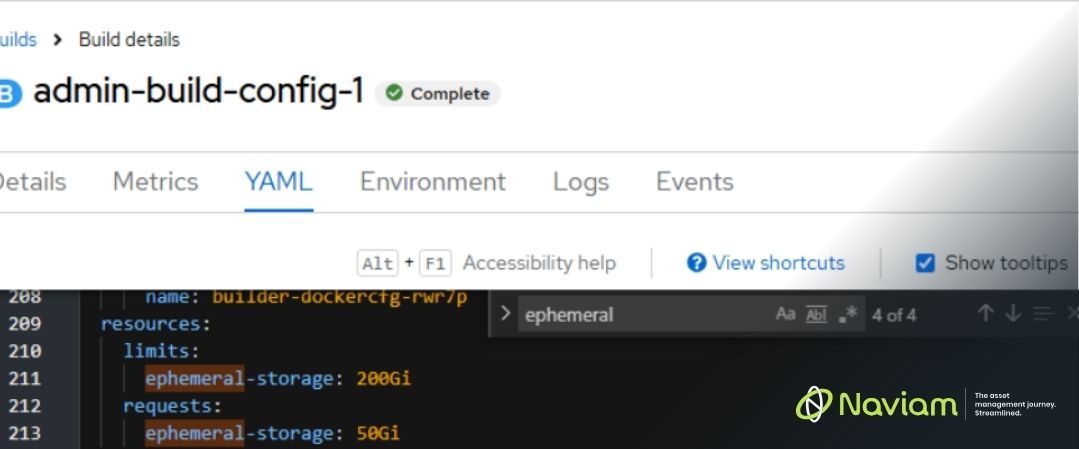
If you’ve worked with recent IBM Maximo Application Suite (MAS) releases, you may have encountered an issue where the admin-build-config pod repeatedly enters an Evicted state.
At first glance, everything appears healthy. CPU utilization is low, memory usage looks reasonable, and persistent storage has plenty of available capacity. Yet the pod continues to fail and restart stopping the MAS environment from building out.
Recently, I’ve seen this issue become more common across newer MAS releases, and in many cases the root cause isn’t CPU, memory, or persistent storage at all.
It’s ephemeral storage.
Unlike persistent volumes, ephemeral storage exists only for the lifetime of the pod. Since it resides on the worker node itself, Kubernetes monitors consumption closely and can evict pods when configured limits are exceeded.
For many administrators, ephemeral storage is easy to overlook because it isn’t typically part of routine capacity discussions. We focus on CPU, memory, and PVC sizing, but build workloads can consume significant amounts of temporary disk space.
One pattern I’ve noticed is that this issue occurs most frequently in environments with several (or just very large) customization archives configured for deployment.
During the admin build process, MAS downloads and extracts each customization archive before adding the contents into the build. While a single archive may have minimal impact, multiple archives can significantly increase temporary storage consumption... and quickly!
What catches many administrators off guard is that the required space is often much larger than the combined size of the ZIP files themselves. During extraction and processing, temporary files are created and stored within the pod’s ephemeral storage. As the number and size of customization packages grow, so does the temporary storage requirement. The build process quickly exceeds the configured ephemeral storage limit, resulting in pod eviction before its completion.
When ephemeral storage is the issue, Kubernetes is very explicit about it in the event messages. If the admin-build-config pod is in Evicted state, click the Events tab and look for a message like this:
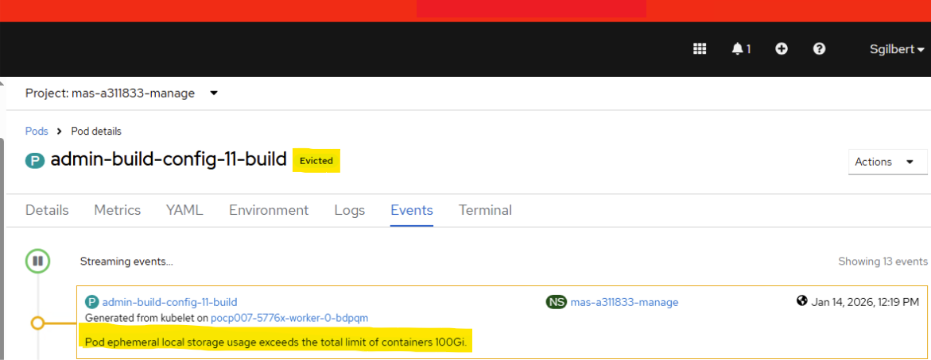
When the admin build workload exceeds the default allocation, increasing the ephemeral storage request and limit for the Admin Build Config will resolve the issue.
Review your current configuration in the manageWorkspace Custom Resource Definition (CRD). Out of the Box (OOTB) default values are shown below:
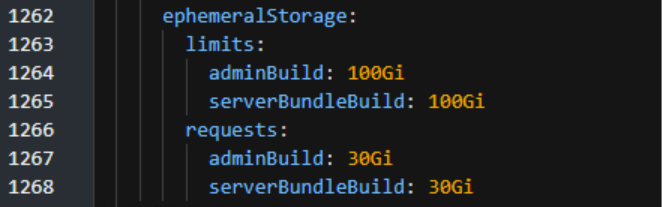
In IBM’s documentation, the manageWorkspace CRD can supposedly be updated through the OpenShift Console UI by modifying the spec.settings.deployment.ephemeralStorage section. However, attempts to update these values through the UI were unsuccessful. The configuration repeatedly reverted to the default settings.
The only reliable method I found was to apply the change using an oc patch command:
oc patch manageworkspace a311833-mas -n mas-a311833-manage --type='merge' -p '{"spec":{"settings":{"deployment":{"ephemeralStorage":{"limits":{"adminBuild":"200Gi"},"requests":{"adminBuild":"50Gi"}}}}}}'
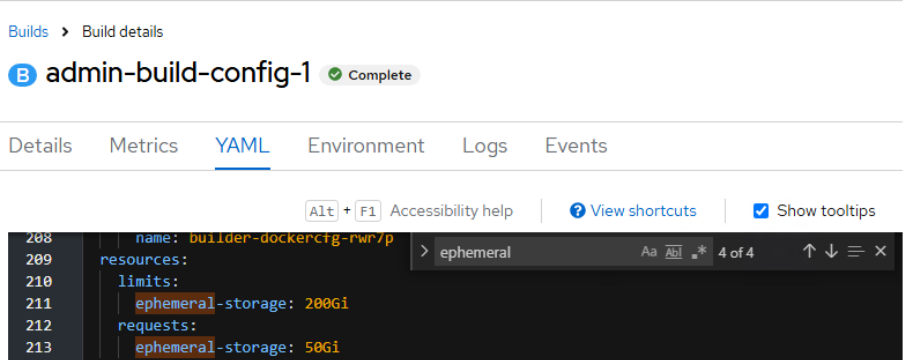
After applying the patch, allow the reconciliation process to complete. Once reconciliation finishes, a new build pod will be created. Open the YAML for the admin-build-config pod and verify that the updated ephemeral storage values are present. Searching for the term ephemeral in the YAML makes it easy to confirm that the changes were successfully applied.

Discover everything you need to know to modernize your asset management strategy.
Inside, you’ll learn:


ActiveG, BPD Zenith, EAM Swiss, InterPro Solutions, Lexco, Peacock Engineering, Projetech, Sharptree, and ZNAPZ have united under one brand: Naviam.
You’ll be redirected to the most relevant page at Naviam.io in a few seconds — or you can
go now.



.avif)