Naviam Mobile Q&A: Your Top IBM Maximo Mobility Questions Answered
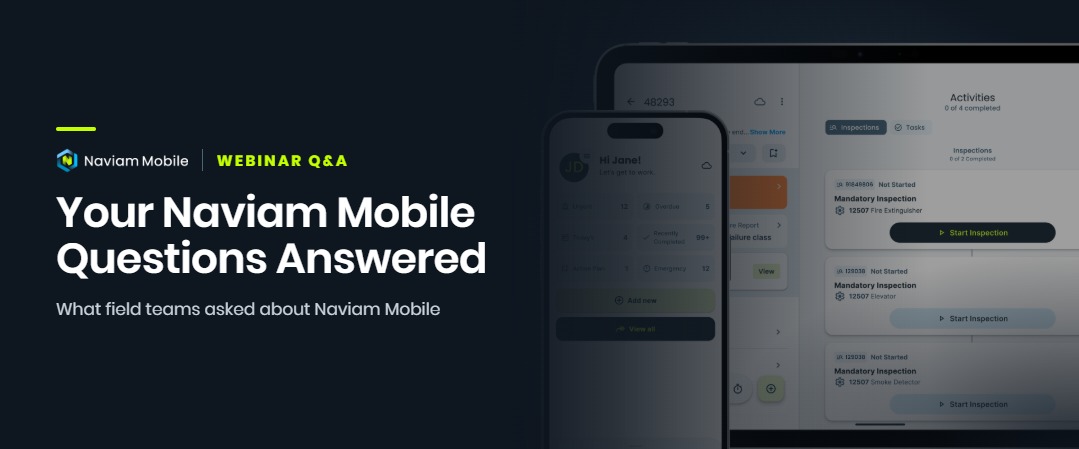
When we introduced Naviam Mobile on October 27th, 2026, we hosted three regional webinar sessions to give IBM Maximo users around the world an in-depth look at the application.
The demonstrations showed how technicians can manage work orders, complete inspections, capture labor, record asset information, and perform daily activities directly from their mobile devices. But some of the most useful conversations happened during the live Q&A sessions.
Across all three regions, attendees asked many of the same questions: How does offline synchronization work? Can teams configure the app without writing code? How does it integrate with Maximo? And what happens to existing mobile solutions?
A common theme was clear: Organizations want to extend Maximo into the field without introducing unnecessary technical complexity. Here are the answers to the questions our global audience raised most often.
Watch the demonstration: Access the recording through our on-demand webinar landing page
Naviam Mobile is an offline-first application for IBM Maximo. Technicians can continue completing supported work activities without an active network connection, and their changes synchronize automatically when connectivity returns.
For organizations managing remote sites, utilities, transportation infrastructure, and geographically distributed assets, uninterrupted connectivity simply isn't guaranteed. Naviam Mobile is designed to provide a consistent technician experience whether the device is connected or disconnected.
The process works in four stages:
Users can monitor their connection and synchronization status within the application.
Core offline work execution supports activities such as:
Related inspection forms can be downloaded during synchronization, so technicians do not need to open every associated inspection individually while they are online.
There are limits worth understanding. At the time of the launch webinar, some inventory and GIS functions required connectivity, and existing attachments were not downloaded automatically by default. Those distinctions matter when evaluating a specific field use case.
The objective is simple: field work should not stop because the signal drops.
No. Naviam Mobile connects directly to IBM Maximo through standard REST and OSLC APIs, without requiring a separate mobile middleware server.
Naviam Mobile is a native application for iOS and Android. During installation, authorized administrators can add the necessary object structures, automation scripts, and other supporting components within their existing Maximo environment.
The application also uses a local database on the device to enable offline work. That does not mean an organization must deploy and maintain a separate mobile database server.
For IT teams, this architecture offers a more straightforward way to extend Maximo into the field, while keeping communication and data access tied to the existing enterprise asset management system.
Yes. Naviam Mobile supports Maximo authentication methods including SAML-based single sign-on, supported multifactor authentication, LDAP, and native Maximo authentication.
Users authenticate against the organization's Maximo environment. API requests are performed under the authenticated user's account, so Maximo security groups and applicable data restrictions continue to control what the user can access.
For SAML authentication, the user needs connectivity for the initial sign-in. After authentication, supported field activities remain available offline. Reauthentication behavior depends on the organization's identity-provider configuration.
Mobile connectivity can use supported network arrangements such as a VPN, or appropriately configured HTTPS access to Maximo's API endpoints. Organizations with restrictive security requirements should confirm their network architecture with their IT and Naviam teams.
Yes. Naviam Mobile is a configurable product rather than a framework that requires customers to build and maintain their own mobile application.
Different teams use Maximo differently. A utility technician, warehouse user, and facility maintenance team might all need a distinct view of work and supporting information.
With Naviam Mobile Designer, authorized users can adjust supported screen layouts using a browser-based drag-and-drop interface. For example, administrators can:
Configurations are stored as JSON data within Maximo automation scripts rather than as changes to the app's underlying source code. This helps organizations manage supported configuration independently of custom mobile development.
Many Maximo environments include custom fields, domain values, and organization-specific requirements. Naviam Mobile's modular approach is designed to address this need, although the exact fields and edit behaviors supported should be checked against the installed version and selected modules.
For a heavily customized environment, the right next step is to review specific attributes and processes with the Naviam product team, rather than assuming every custom form can be recreated without assessment.
Yes. Naviam Mobile supports configurable status rules and actions that help enforce required steps during work execution, including supported offline activities.
For many organizations, completing a work order means more than changing its status. The technician may need to record time, enter failure information, complete an inspection, or capture evidence before the work is considered complete.
Status Rules specify the conditions that must be satisfied before a work order can move to a particular status.
Status Actions guide technicians through required steps associated with the status change, such as capturing a completion photo.
Together, these controls help reinforce consistent field processes without asking technicians to remember every administrative requirement.
No. Configurable status logic is different from native IBM Maximo Workflow interactions, such as completing routed approval tasks or acting on workflow interaction nodes. At the time of the launch Q&A, those native workflow interactions were not fully supported in Naviam Mobile. Organizations with complex approval requirements should assess them individually.
Naviam Mobile emphasizes straightforward deployment, configurable supported screens, and mobile application updates that are not tied directly to a Maximo Application Suite upgrade.
IBM Maximo Mobile and Naviam Mobile both extend Maximo into the field. The important differences for a particular organization concern deployment, administration, supported configuration, offline behavior, and ongoing maintenance.
Naviam Mobile is delivered as a working mobile product, rather than source files that the organization must develop into an application. Naviam Mobile Designer makes it possible for appropriately authorized users to modify supported layouts without writing custom application code.
The mobile application's own release cycle is also distinct from the Maximo Application Suite upgrade cycle. Customer configurations are designed to remain separate from the application source, reducing the effort associated with maintaining supported layouts through updates.
There is no universally correct choice for every Maximo customer. The best fit depends on security requirements, field processes, existing investments, internal technical resources, and the total effort required to operate the solution.
Explore Naviam Mobile to learn more about its approach to Maximo field execution.
Naviam's established mobile applications remain supported. Customers are not automatically moved to Naviam Mobile, and the launch does not require them to replace their current solutions.
Naviam Mobile brings together experience from EZMaxMobile, Fingertip Mobile, and Opqo. Each solution has informed Naviam's understanding of usability, field work, configuration, and offline operations.
A transition is not an automatic application update. Organizations with substantial customization should evaluate their current capabilities and map them to Naviam Mobile's supported functions and configuration options.
Current customers can work with their Naviam account team to assess what a transition would involve, while continuing to use their existing supported solutions under their current agreements.
Yes. Naviam Mobile integrates with Esri ArcGIS, including ArcGIS Enterprise and ArcGIS Online, and has integration capabilities related to Naviam GIS.
Attendees were particularly interested in how maps, GIS layers, and asset location information could support technicians in the field. The Naviam team described how configured GIS views and layers can carry into the mobile experience.
Because GIS requirements vary considerably, organizations should validate their intended use cases, available connections, and offline mapping requirements against the features supported in their application version.
Learn more about Naviam GIS and how location-based information connects with enterprise asset management.
Naviam Mobile is designed to support a small, iterative pilot instead of requiring a large custom mobile build before users can begin testing.
A practical starting point is a defined group of technicians or one focused process, such as a repeatable inspection or a common type of work order. An initial pilot generally involves:
The initial download includes five free trial users. Naviam Mobile supports Maximo Application Suite 8.x and 9.x, as well as Maximo 7.6.1.3. Organizations that restrict app store access can also evaluate distribution through their mobile device management (MDM) software.
Starting small does not remove the need for planning. It allows teams to learn from actual users before deciding how widely to deploy the application.
The questions from all three regional sessions reinforced the same point: organizations aren't simply asking how to access Maximo on a phone or tablet.
They want reliable offline work. They want configuration flexibility without unnecessary development complexity. They want security aligned with their existing environment and an application technicians can use confidently in real-world conditions.
Most importantly, they want mobile technology that simplifies field execution rather than creating another system to maintain.
That is the thinking behind Naviam Mobile: a product-first approach built on years of IBM Maximo experience, designed to help organizations move from assigned work to completed work with less friction and better data captured in the field.
Missed the live launch, or want to share the demonstration with your team? See how Naviam Mobile supports work order execution, offline inspections, configurable screens, and everyday field activities.
Complete a short form on the on-demand webinar landing page to access the recording.
Want to discuss your organization's mobility needs? Explore Naviam Mobile and request a tailored demonstration.
Discover everything you need to know to modernize your asset management strategy.
Inside, you’ll learn:

ActiveG, BPD Zenith, EAM Swiss, InterPro Solutions, Lexco, Peacock Engineering, Projetech, Sharptree, and ZNAPZ have united under one brand: Naviam.
You’ll be redirected to the most relevant page at Naviam.io in a few seconds — or you can
go now.